Skip to content
View in the app

A better way to browse. Learn more.

WRobot

A full-screen app on your home screen with push notifications, badges and more.

To install this app on iOS and iPadOS
  1. Tap the Share icon in Safari
  2. Scroll the menu and tap Add to Home Screen.
  3. Tap Add in the top-right corner.
To install this app on Android
  1. Tap the 3-dot menu (⋮) in the top-right corner of the browser.
  2. Tap Add to Home screen or Install app.
  3. Confirm by tapping Install.

Pet Battles - WoD

1 file

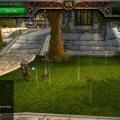
  1. This is a small path near the base of the Mage tower. I've left it running for 3 days straight and went from lvl 1 to 40. You never get stuck on objects, BUT, you will need to put the squirrels in the narrow walkways in your Blacklist. This will keep you from wandering off the trail and getting hung up with a bad battlefield.
    • 458 Downloads
    • 3 Comments
    Submitted

Account

Navigation

Search

Search

Configure browser push notifications

Chrome (Android)
  1. Tap the lock icon next to the address bar.
  2. Tap Permissions → Notifications.
  3. Adjust your preference.
Chrome (Desktop)
  1. Click the padlock icon in the address bar.
  2. Select Site settings.
  3. Find Notifications and adjust your preference.