




Skip to content
View in the app

A better way to browse. Learn more.

WRobot

A full-screen app on your home screen with push notifications, badges and more.

To install this app on iOS and iPadOS
  1. Tap the Share icon in Safari
  2. Scroll the menu and tap Add to Home Screen.
  3. Tap Add in the top-right corner.
To install this app on Android
  1. Tap the 3-dot menu (⋮) in the top-right corner of the browser.
  2. Tap Add to Home screen or Install app.
  3. Confirm by tapping Install.

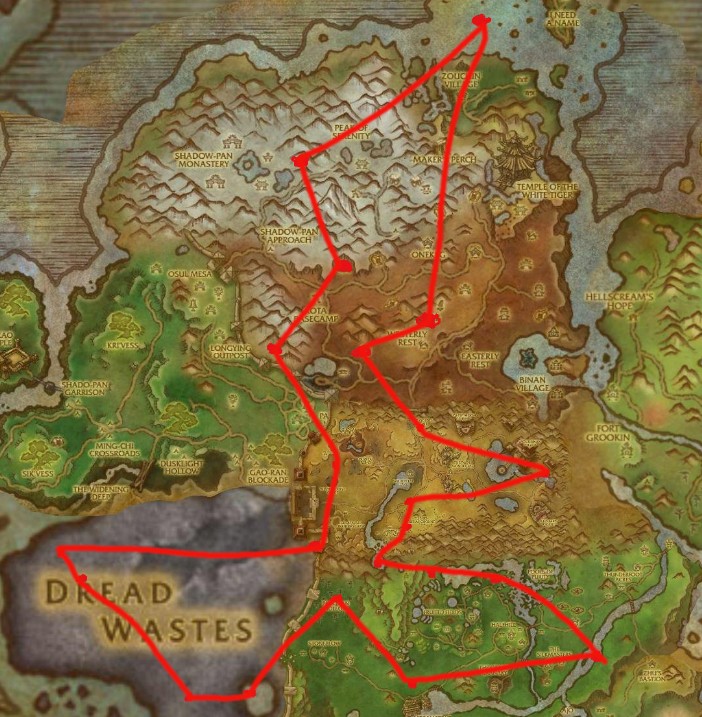
Pandaria rare v2 toy only 2.0

(0 reviews)

1 Screenshot

farm those whichever has toy....meaning by toys are those which can be used as many as i want....

1.get the addon Rarefied (make the same sound as NPCscan does. but NPCscan wont make that sound if you didnt clean the cache thing. While this addon will alert you every thing if there is a skull in your mini map)

http://www.curse.com/addons/wow/rarefied

2.Enable background sound ( so when your wow is not your current selected window. you will still be able to hear the sound that Rarefied makes)

3. Disable Loot chest in Loot tab in Advanced setting (otherwise it will try to loot dark soil) <-----not sure about this one yet.

4. Watching a movie or something.

Important: this file won't kill them, you have to pause the bot and kill it manually!!!!!it just flies by.!!!

User Feedback

You may only provide a review once you have downloaded the file.

There are no reviews to display.

Account

Navigation

Search

Search

Configure browser push notifications

Chrome (Android)
  1. Tap the lock icon next to the address bar.
  2. Tap Permissions → Notifications.
  3. Adjust your preference.
Chrome (Desktop)
  1. Click the padlock icon in the address bar.
  2. Select Site settings.
  3. Find Notifications and adjust your preference.