



Skip to content
View in the app

A better way to browse. Learn more.

WRobot

A full-screen app on your home screen with push notifications, badges and more.
To install this app on iOS and iPadOS
  1. Tap the Share icon in Safari
  2. Scroll the menu and tap Add to Home Screen.
  3. Tap Add in the top-right corner.
To install this app on Android
  1. Tap the 3-dot menu (⋮) in the top-right corner of the browser.
  2. Tap Add to Home screen or Install app.
  3. Confirm by tapping Install.

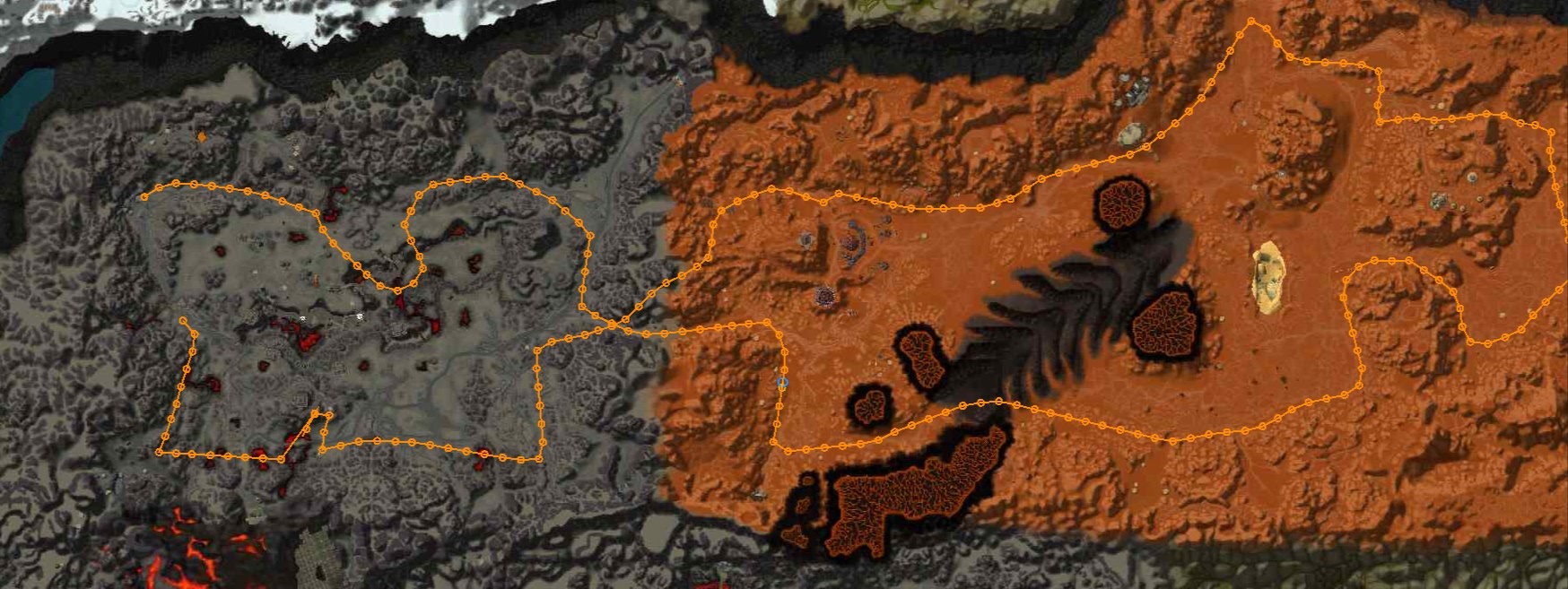
Mithril ore, super route mining 150-225, badlands and Searing Gorge

(1 review)

1 Screenshot

Hi, I share the path I use to collect Mithril is very good and goes up mining of 150-225. sorry for my English is not very good.

Try it

User Feedback

You may only provide a review once you have downloaded the file.


Profile doesn't work it stands there and starts jumping and doesn't go to the location and mine stuff

Profile is completely broken!

Using WRobot 2.8.0 (26869) which is the latest as of today Sept 21 2024

This profile is completely broken a  waste of time don't download it.

Account

Navigation

Search

Search

Configure browser push notifications

Chrome (Android)
  1. Tap the lock icon next to the address bar.
  2. Tap Permissions → Notifications.
  3. Adjust your preference.
Chrome (Desktop)
  1. Click the padlock icon in the address bar.
  2. Select Site settings.
  3. Find Notifications and adjust your preference.