Skip to content
View in the app

A better way to browse. Learn more.

WRobot

A full-screen app on your home screen with push notifications, badges and more.

To install this app on iOS and iPadOS
  1. Tap the Share icon in Safari
  2. Scroll the menu and tap Add to Home Screen.
  3. Tap Add in the top-right corner.
To install this app on Android
  1. Tap the 3-dot menu (⋮) in the top-right corner of the browser.
  2. Tap Add to Home screen or Install app.
  3. Confirm by tapping Install.

srazdokunebil

Members
  • Joined

  • Last visited

Files posted by srazdokunebil

  1. # [FREE] WRobot PathEditor v1.0 plugin for Vanilla 1.12.1 (5875)
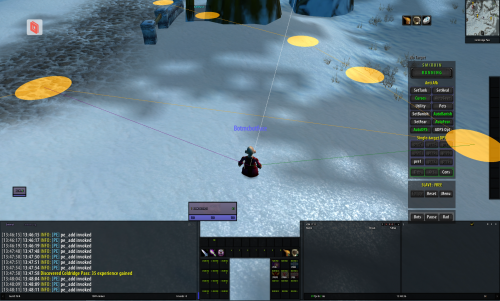
    PathEditor allows Vector3 path XML data to be modified real-time from within the 5875 game client.  Use this tool to create paths that can be imported into Quester/Grinder/Gatherer profiles.
    Please refer to the github readme.md for usage information.
    github: https://github.com/srazdokunebil/PathEditor
    Thanks to Matenia, Apexx, Ordush, & Sowelu for their code contributions that made this possible.
    • 140 Downloads
    Submitted

Account

Navigation

Search

Search

Configure browser push notifications

Chrome (Android)
  1. Tap the lock icon next to the address bar.
  2. Tap Permissions → Notifications.
  3. Adjust your preference.
Chrome (Desktop)
  1. Click the padlock icon in the address bar.
  2. Select Site settings.
  3. Find Notifications and adjust your preference.