lsabakal
Members
-
Joined
-
Last visited
Everything posted by lsabakal
-
Yes your code and my isn't working at all 30 июл 2023 13H43.log.html
-
-
this code doesn't work, my char will run different side, and trying to swim to undercity
-
-
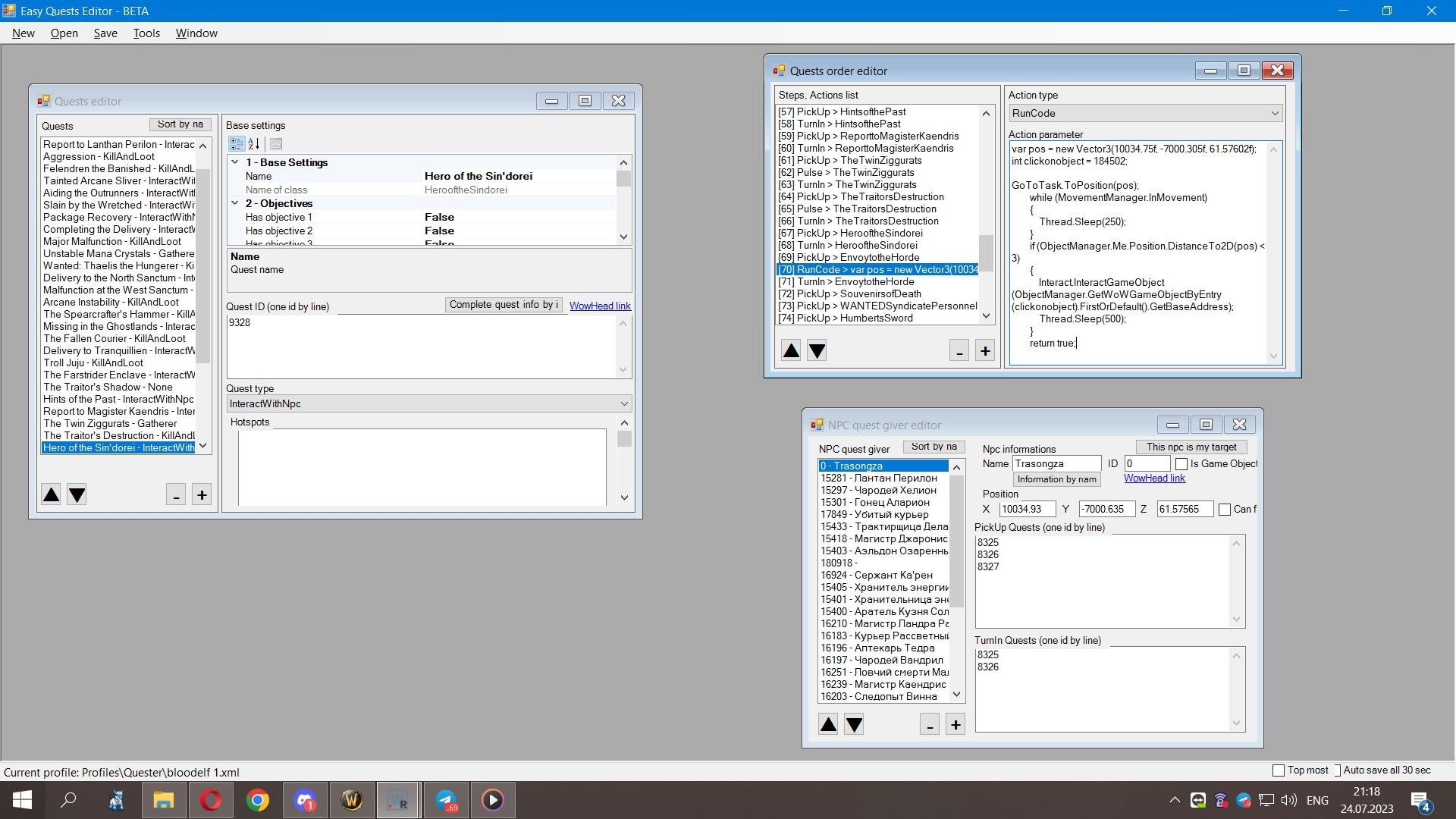
can someone explain me what am doing wrong or why it doesn't work in Silvermoon city var pos = new Vector3(9992.634, -7113.402, 47.70632); int clickonobject = 184502; GoToTask.ToPosition(pos); while (MovementManager.InMovement) { Thread.Sleep(250); } if (ObjectManager.Me.Position.DistanceTo2D(pos) < 3) { Interact.InteractGameObject(ObjectManager.GetWoWGameObjectByEntry(clickonobject).FirstOrDefault().GetBaseAddress); Thread.Sleep(500); } return true; after pick up the quest my char should run to the position and click on the object, but this doesn't happens.
-
it is mofidied client, but sometimes taxi work well, sometimes not at the same way for example silvermoon city, => Ghostlands and from gostlands => silvermoon city between this two taxi its sometimes use as well sometimes just run. i'll try many things with trying to fix it, but the private server with a lot of custom changes.
-
Yes, am trying everything i know and read on this forum.
-
My problem not in the quester, by some reason the quester just wont follow to the object. The quest don't required the object to be compleated, its just need to leave the location where the quest is picked up. So my probles is, the quster pick up the quest, and them should run to the object coordinates to interact with it, but it wond to it at all. a bit latter capture some video abaut my problem.
-
But this code posted up isnt work at all, i'll try many different things, but am so stupid in coding.
-
i need, the bot pickup the quest. https://base.opiums.eu/?quest=9621 Run to the object, and interact with it https://base.opiums.eu/?quest=9621 to leave the location and after being teleported start run to the turnin the quest to interactWithNpc
-
var pos = new Vector3(10034.75, -7000.305, 61.57602); int clickonobject = 184502; GoToTask.ToPosition(pos); while (MovementManager.InMovement) { Thread.Sleep(250); } if (ObjectManager.Me.Position.DistanceTo2D(pos) < 3) { Interact.InteractGameObject(ObjectManager.GetWoWGameObjectByEntry(clickonobject).FirstOrDefault().GetBaseAddress); Thread.Sleep(500); } return true;This one doesn't workvar pos = new Vector3(x, y, z); int clickonobject = 0; GoToTask.ToPosition(pos); while (MovementManager.InMovement) { Thread.Sleep(250); } if (ObjectManager.Me.Position.DistanceTo2D(pos) < 3) { Interact.InteractGameObject(ObjectManager.GetWoWGameObjectByEntry(clickonobject).FirstOrDefault().GetBaseAddress); Thread.Sleep(500); } return true;Hello there, i need some help with lua code for quest, to interact witn an object https://base.opiums.eu/?object=184502 for this quest https://base.opiums.eu/?quest=9621 because the bot have no idea how to leave this location.Can someone help me fix taxi, my bots are use the taxi npc but drop it, and just start running awey. 23 июл 2023 09H16.log.html 23 июл 2023 13H16.log.html 23 июл 2023 13H21.log.html 23 июл 2023 15H00.log.html 23 июл 2023 15H13.log.html 23 июл 2023 15H42.log.html 23 июл 2023 17H58.log.html 23 июл 2023 19H10.log.html 23 июл 2023 19H33.log.htmlДелать то не сложно эти ротации, и работают они хорошо, только вот все равно это костыли, не работает такси, не работает маунт и еще много чего.