




Skip to content
View in the app

A better way to browse. Learn more.

WRobot

A full-screen app on your home screen with push notifications, badges and more.

To install this app on iOS and iPadOS
  1. Tap the Share icon in Safari
  2. Scroll the menu and tap Add to Home Screen.
  3. Tap Add in the top-right corner.
To install this app on Android
  1. Tap the 3-dot menu (⋮) in the top-right corner of the browser.
  2. Tap Add to Home screen or Install app.
  3. Confirm by tapping Install.

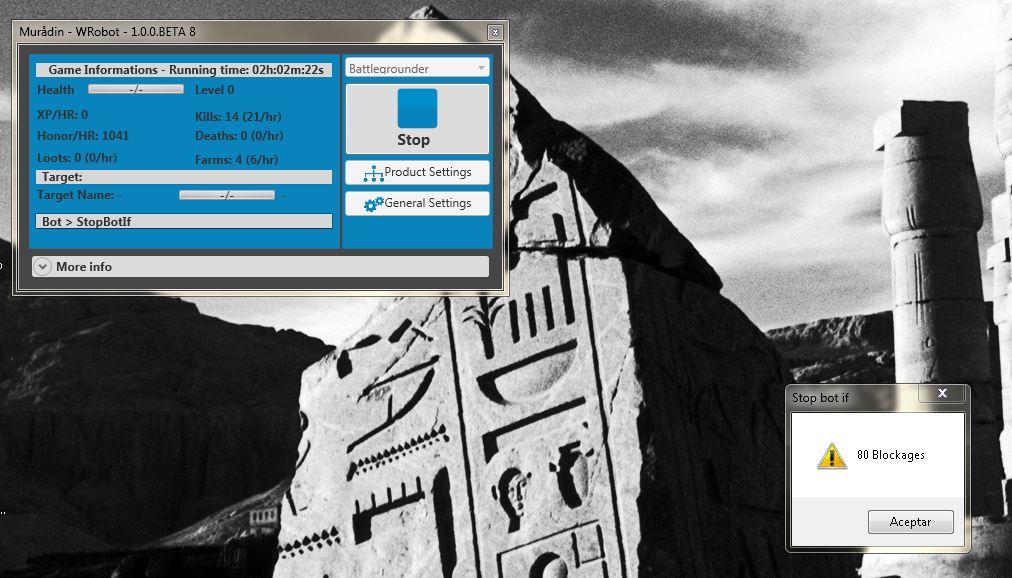
error 80 Blockages

  • Product: WRobot General
  • Type: Bug
  • Status: Not a Bug

error 80 Blockages


Attached Files:
User Feedback

Recommended Comments

Hi,
 
You can fix this issue on button "General Settings" > tab "Stop game / bot / Security" (edit blockages option).
 
But I recommand to try another profile, 80 in 2h is a lot.

SHADOWSONG

Members

how many blockages i need to use

Shadow

Elite user

this isnt really a bug is what Droidz is saying,  a blockage means your character is getting stuck and cannot move,  The bot automatically shuts down if your character gets stuck that many times.  We suggest you check your profile, or modify its path, depends on what you are doing.

zongheng pu

Members

same problem happen to me, especially in bg. if I just do the gathering stuff it's fine, but if i que the bg and gathering, the blockage always happen to hit the max then stop my game

Create an account or sign in to comment

Account

Navigation

Search

Search

Configure browser push notifications

Chrome (Android)
  1. Tap the lock icon next to the address bar.
  2. Tap Permissions → Notifications.
  3. Adjust your preference.
Chrome (Desktop)
  1. Click the padlock icon in the address bar.
  2. Select Site settings.
  3. Find Notifications and adjust your preference.