



Skip to content
View in the app

A better way to browse. Learn more.

WRobot

A full-screen app on your home screen with push notifications, badges and more.

To install this app on iOS and iPadOS
  1. Tap the Share icon in Safari
  2. Scroll the menu and tap Add to Home Screen.
  3. Tap Add in the top-right corner.
To install this app on Android
  1. Tap the 3-dot menu (⋮) in the top-right corner of the browser.
  2. Tap Add to Home screen or Install app.
  3. Confirm by tapping Install.

Gui all black

  • Version: All
  • Product: WRobot General
  • Type: Bug
  • Status: Not a Bug

So i went to start up a leveling session while i was doing some other stuff today, saw there was an update - so then i updated the client.

After update all my GUI looks like this. Buttons are still there but cant see anything. 
I tried to reinstall dx, VCD etc and redownloaded the client but no luck.

Cant seem to fix this got any ideas?
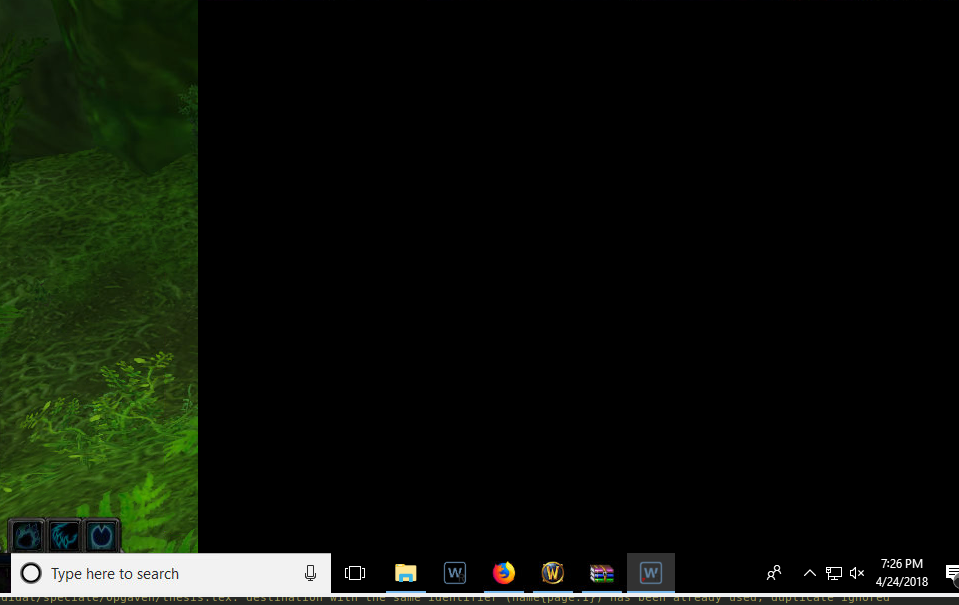
image.png.aba15def01ac9c9cfdbf5bee28b71848.png

User Feedback

Recommended Comments

geolocoo

Members

Forgot to mention that its for the vanilla client

geolocoo

Members

I found the issue - The problem lies with the use of teamviewer to controle the remote client.
When im at the system there is no issues.
Guess ill have to setup some other VNC service.
Never had this issue before the update though.


I have still attached my log file if u still want to look through it.

24 Apr 2018 19H36.log.html

Create an account or sign in to comment

Account

Navigation

Search

Search

Configure browser push notifications

Chrome (Android)
  1. Tap the lock icon next to the address bar.
  2. Tap Permissions → Notifications.
  3. Adjust your preference.
Chrome (Desktop)
  1. Click the padlock icon in the address bar.
  2. Select Site settings.
  3. Find Notifications and adjust your preference.