Skip to content
View in the app

A better way to browse. Learn more.

WRobot

A full-screen app on your home screen with push notifications, badges and more.

To install this app on iOS and iPadOS
  1. Tap the Share icon in Safari
  2. Scroll the menu and tap Add to Home Screen.
  3. Tap Add in the top-right corner.
To install this app on Android
  1. Tap the 3-dot menu (⋮) in the top-right corner of the browser.
  2. Tap Add to Home screen or Install app.
  3. Confirm by tapping Install.

Please connect to the game | Legion Firestorm |

  • Product: WRobot General
  • Type: Bug
  • Status: Unconfirmed

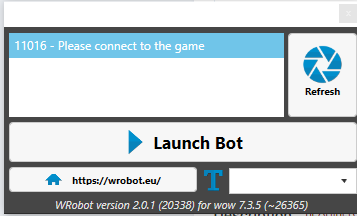
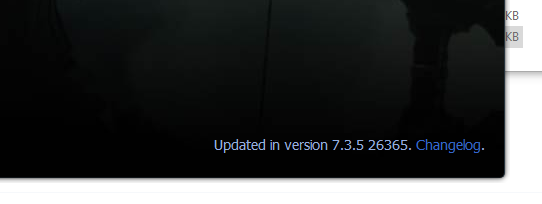
First issue i had was the version was incorrect. After finding an old version that matches the server's patch. That worked. But not im having the issue where it's saying "Please connect to the game". Wow's started in 32 bit, i've tried everything i've found on the forums with no luck. 


Attached Files:
User Feedback

Recommended Comments

pepsiplaya

Members

2.png.7e374199eb6177d5d8756566ef7db87a.png
1.PNG.0bb44ff90f083c9dfeddfbdef7125c11.PNG

pepsiplaya

Members

Fixed, after re-installing the 86 version of microsoft, and restarting pc. a small things all together made it work in the end.

Create an account or sign in to comment

Account

Navigation

Search

Search

Configure browser push notifications

Chrome (Android)
  1. Tap the lock icon next to the address bar.
  2. Tap Permissions → Notifications.
  3. Adjust your preference.
Chrome (Desktop)
  1. Click the padlock icon in the address bar.
  2. Select Site settings.
  3. Find Notifications and adjust your preference.