Skip to content
View in the app

A better way to browse. Learn more.

WRobot

A full-screen app on your home screen with push notifications, badges and more.

To install this app on iOS and iPadOS
  1. Tap the Share icon in Safari
  2. Scroll the menu and tap Add to Home Screen.
  3. Tap Add in the top-right corner.
To install this app on Android
  1. Tap the 3-dot menu (⋮) in the top-right corner of the browser.
  2. Tap Add to Home screen or Install app.
  3. Confirm by tapping Install.

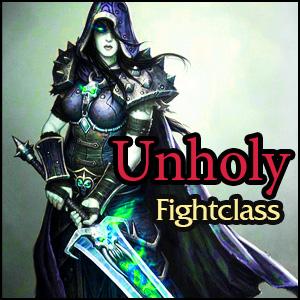
Death Knight Unholy 17.01.2018

(2 reviews)

1 Screenshot

User Feedback

You may only provide a review once you have downloaded the file.

   1 of 1 member found this review helpful 1 / 1 member

Very good, thank u very much

   3 of 3 members found this review helpful 3 / 3 members

Again, pretty solid fight class from camelot, just like the demon hunter fight classes.


Gave it a brief run with my unholy knight. I just made some minor adjustments like adding my racial ability "Arcane Torrent" etc. If you mss any spells, just click on Spell Database and add the missing ability or spell.


Thanks for contributing to the community. By the way, I also use one of the paid profiles and think its worth it. Hope you continue to make more...at the moment I guess some fishing profiles are missing, for example to get the underlight angler. It comes in pretty handy, also for questing, since the fish travel form is great. It took me almost a day to obtain it last year and I hated it...Cries for a bot, but would take quite a work to setup a profile for it...

Account

Navigation

Search

Search

Configure browser push notifications

Chrome (Android)
  1. Tap the lock icon next to the address bar.
  2. Tap Permissions → Notifications.
  3. Adjust your preference.
Chrome (Desktop)
  1. Click the padlock icon in the address bar.
  2. Select Site settings.
  3. Find Notifications and adjust your preference.