




This is my demo version of my upcoming paid version of a hunter profile.
It's simple and does the trick. You can do raids and PVE with this and have a nice experiance.
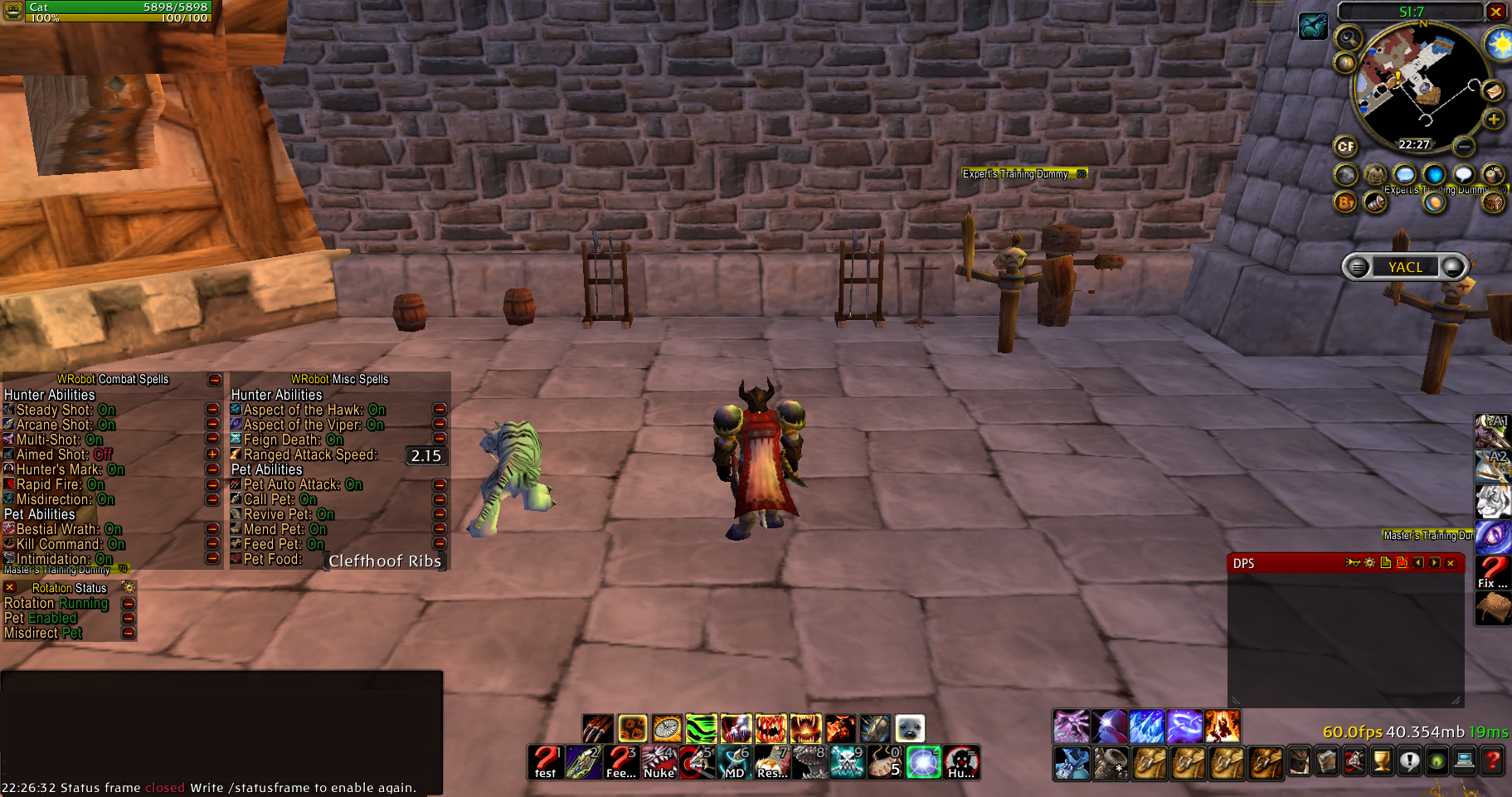
Features
Optimized rotation for max DPS
Hunter Combat Abilities <- None of them will attack if target is shielded
- Steady Shot <- set timer to your attack speed + 15 so if your ranged attack speed is 2.14 then you set it to 2155
- Arcane shot <- Will only use if Aspect of the Hawk is active
- Multi-shot <- Will only use if 3 or more targets
- Hunter's Mark <- Will only cast on targets that is sensible (Hostile targets etc.)
- Rapid Fire <- Will only use on bosses
- Misdirection <- Can be changed in settings to cast on either pet or focus (Will only cast if target has more than 30% hp)
Pet Combat Abilities <- None of them will attack if target is shielded
- Bestial Wrath <- Will only use if you have pet, and will only use on bosses
- Kill Command <- Will only use if you have pet
Hunter Misc Abilities
- Feign Death <- Smart | Will only use this if pet is close to target and it will also wait some time for your pet to get aggro.
Pet Misc Abilities
- Pet Auto Attack <- Pet will auto attack your target (will not spam)
- Call pet
- Revive Pet
- Mend pet
Paid Verision
What's New in Version 1.0.1
Released
Move stuttering should now be fixed, no matter the level you are.
You may only provide a review once you have downloaded the file.
There are no reviews to display.