Skip to content
View in the app

A better way to browse. Learn more.

WRobot

A full-screen app on your home screen with push notifications, badges and more.

To install this app on iOS and iPadOS
  1. Tap the Share icon in Safari
  2. Scroll the menu and tap Add to Home Screen.
  3. Tap Add in the top-right corner.
To install this app on Android
  1. Tap the 3-dot menu (⋮) in the top-right corner of the browser.
  2. Tap Add to Home screen or Install app.
  3. Confirm by tapping Install.

Stranglethorn Vale 35-38(39) 1.1.2

(0 reviews)

So i make a lot of profiles (for my own use) 

BUT. I would just like to share profiles that works great for me.

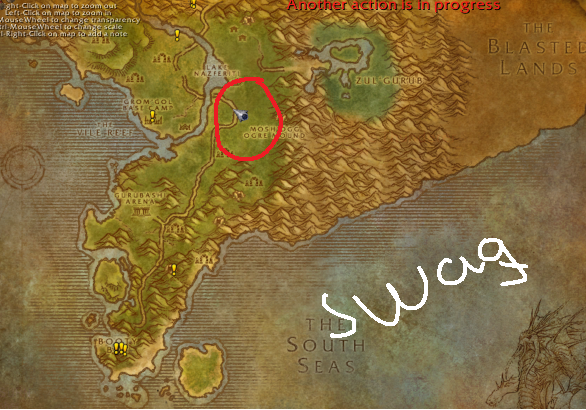
This is just a REALLY simple grinding profile (for lvling) and the bobs are 36-37-38. 

The bots move in a quiet small area and the mobs is not (really) close by, that means its low risk for aggro 2 mobs at the same time.


BUT, just keep in minde use it safe, its a small area, and ppl would run by some times.

I will share a lot more profiles in the future but have to start somewhere. :) 


//Best regards Conne2 :ph34r:


swag.png

User Feedback

You may only provide a review once you have downloaded the file.

There are no reviews to display.

Account

Navigation

Search

Search

Configure browser push notifications

Chrome (Android)
  1. Tap the lock icon next to the address bar.
  2. Tap Permissions → Notifications.
  3. Adjust your preference.
Chrome (Desktop)
  1. Click the padlock icon in the address bar.
  2. Select Site settings.
  3. Find Notifications and adjust your preference.