



Skip to content
View in the app

A better way to browse. Learn more.

WRobot

A full-screen app on your home screen with push notifications, badges and more.

To install this app on iOS and iPadOS
  1. Tap the Share icon in Safari
  2. Scroll the menu and tap Add to Home Screen.
  3. Tap Add in the top-right corner.
To install this app on Android
  1. Tap the 3-dot menu (⋮) in the top-right corner of the browser.
  2. Tap Add to Home screen or Install app.
  3. Confirm by tapping Install.

AutoTraining - DEMO - NOT WORKING VERSION 1.0.0

(0 reviews)

3 Screenshots

RU:
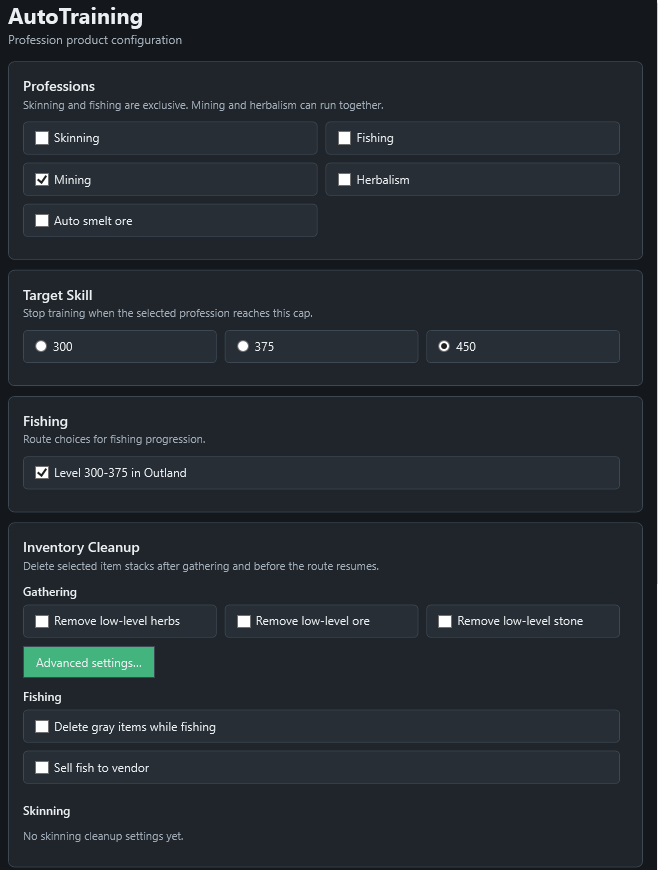
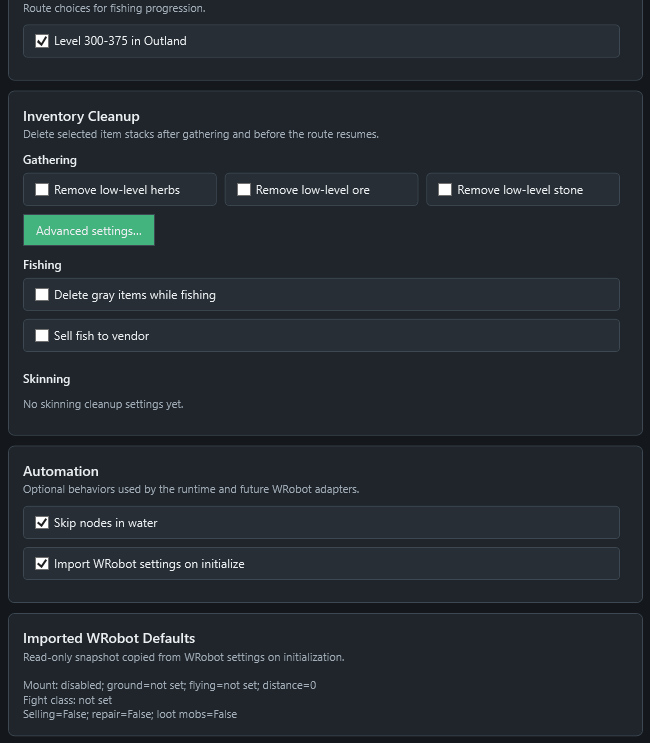
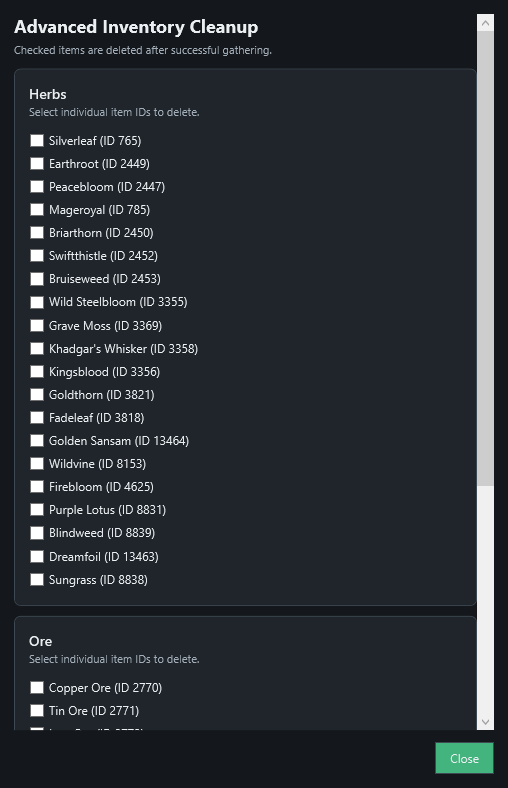
Демонстрация скриншотом и описанием продукта для автоматической прокачки профессий из этого треда: https://wrobot.eu/forums/topic/16282-ready-made-wrobot-profiles-fight-classes-plugins-and-more/#comment-71115

Продукт умеет автоматически прокачивать профессии, фильтровать добываемые ресурсы и регулярно обучаться у учителя профессии.

EN Verison:

Screenshot demonstration and product description of the automated profession leveling tool from this thread: https://wrobot.eu/forums/topic/16282-ready-made-wrobot-profiles-fight-classes-plugins-and-more/#comment-71115

The product can automatically level up professions, filter gathered resources, and regularly visit profession trainers to learn new skills.

User Feedback

You may only provide a review once you have downloaded the file.

There are no reviews to display.

Account

Navigation

Search

Search

Configure browser push notifications

Chrome (Android)
  1. Tap the lock icon next to the address bar.
  2. Tap Permissions → Notifications.
  3. Adjust your preference.
Chrome (Desktop)
  1. Click the padlock icon in the address bar.
  2. Select Site settings.
  3. Find Notifications and adjust your preference.