.png.6c64c902ca16bbc404400f330250ca68.png)
Sakonung
WRobot user
-
Joined
-
Last visited
-
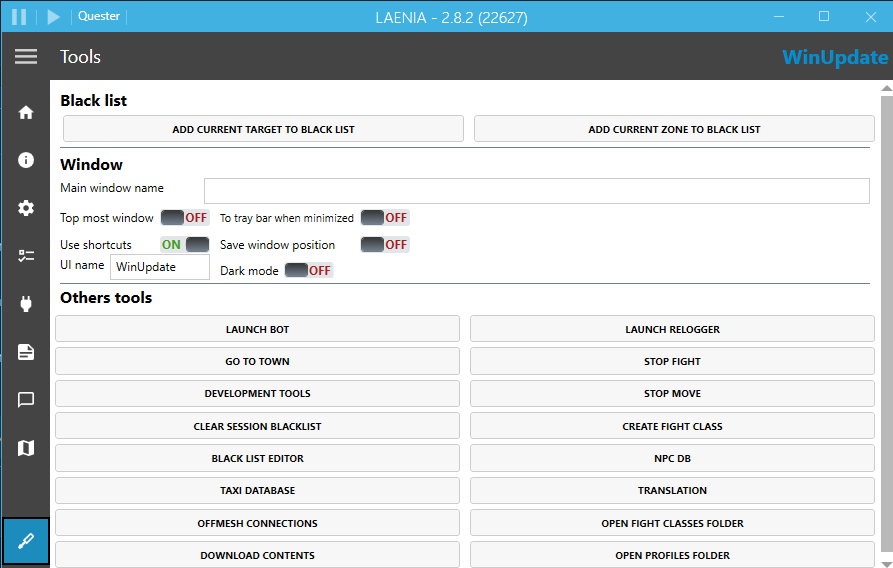
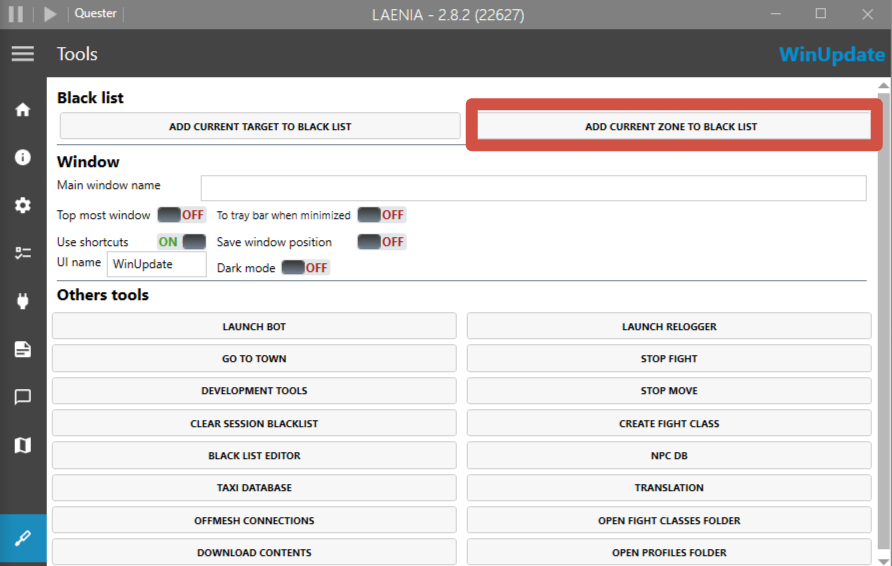
Alright, then there are only two possibilities left: The character is lagging. But if you say everything is fine and there’s no delay, then that’s probably not the issue. The node the character is trying to gather is located in a bad spot. Because of that, WRobot’s pathfinder can’t build a proper path to it. I recommend trying use another route or finding the area with the problematic node and adding it to the blacklist. That should solve the issue.
-
-
-
-
-
-
-
-
-
-
Вообще, сделать это сложно, в ручную. Ты можешь попробовать попросить нейросеть, условно Claude Code с этим помочь, но если у тебя нету подписки и ты никогда этим не занимался, то будет сложно и затратно все сделать сразу(Чтобы Claude работал, нужно минимум подписка от 100$). Поэтому, лучше, что ты можешь сделать. Найти неработающие части в профилях и заменить/удалить/восстановить их. Так будет лучше всего и быстрее. Раз ты сказал, что там всего 1-2 неработающих квестов.
-
-
Все зависит от место. Входы/выходы offmesh помогает в них, остальное по ситуации.
-
Ну, как вариант, тебе стоит попробовать добавить offmesh входы-выходы, где это регулярно происходит. Но это не решит все проблемы, рано или поздно, ты упрешься в то, что он будет в какие-то мелкие объекты врезаться (типа фонарей или указателей), тогда тут только смириться
-
-
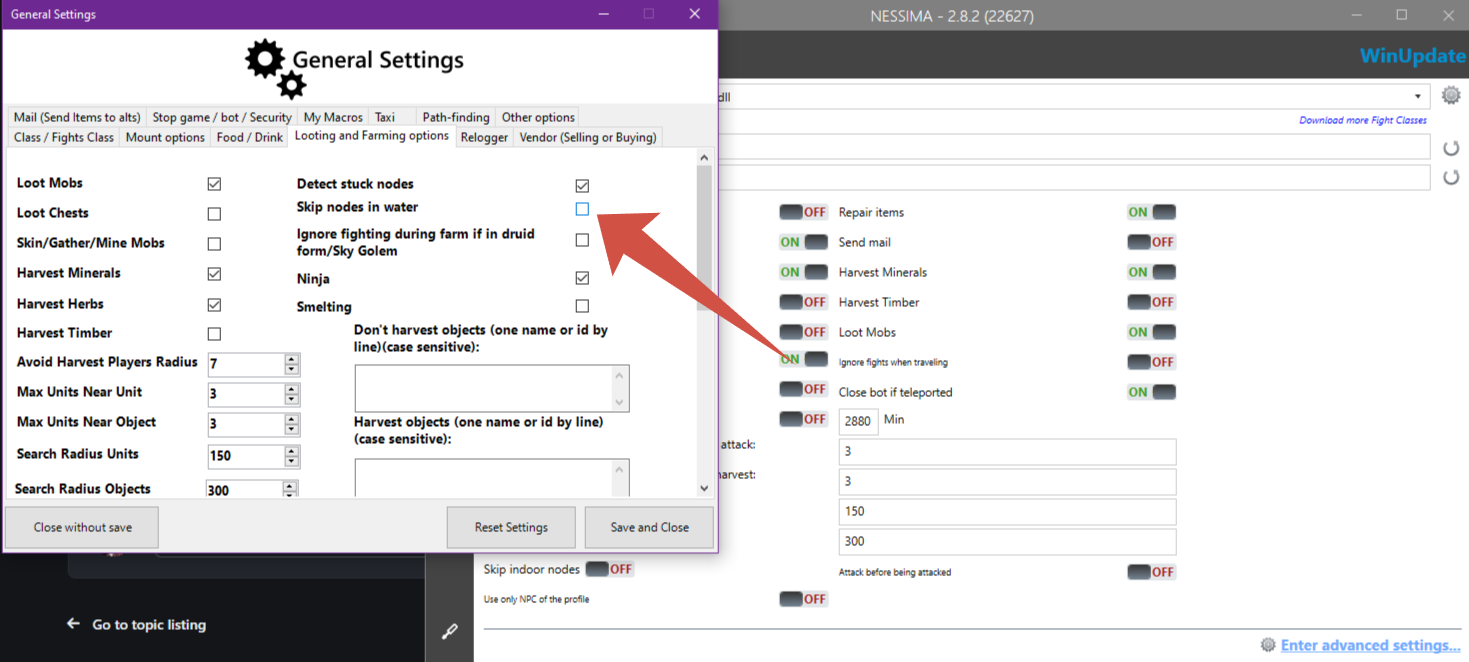
Hello. If you're using Product - Gather. Try set this setting:
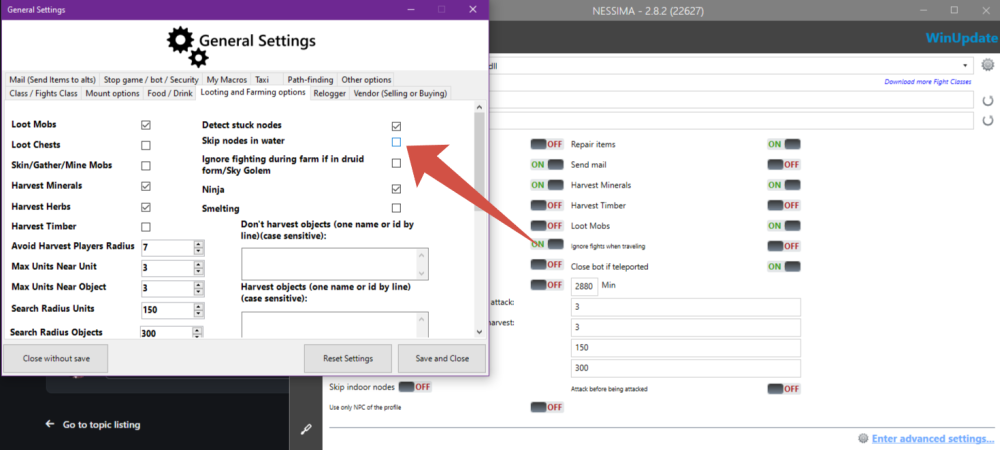
-
Then, Just waiting, when @Droidz answer here
-
I'm not sure, that problem is there... I think, it looks like, Ebonhold's client is in conflict with Wrobot, not detect. Try another version of Wrobot. A

.thumb.png.8577cded3d499cefaf4f0b8be4185232.png)