Skip to content
View in the app

A better way to browse. Learn more.

WRobot

A full-screen app on your home screen with push notifications, badges and more.

To install this app on iOS and iPadOS
  1. Tap the Share icon in Safari
  2. Scroll the menu and tap Add to Home Screen.
  3. Tap Add in the top-right corner.
To install this app on Android
  1. Tap the 3-dot menu (⋮) in the top-right corner of the browser.
  2. Tap Add to Home screen or Install app.
  3. Confirm by tapping Install.

Arms Warrior Flight Class 7.0.3 By Kunfuninja12 1.0.0

(0 reviews)

User Feedback

Recommended Comments

skulgar

Members

PVE/PVP?


kunfuninja12

Members

1 hour ago, skulgar said:

PVE/PVP?


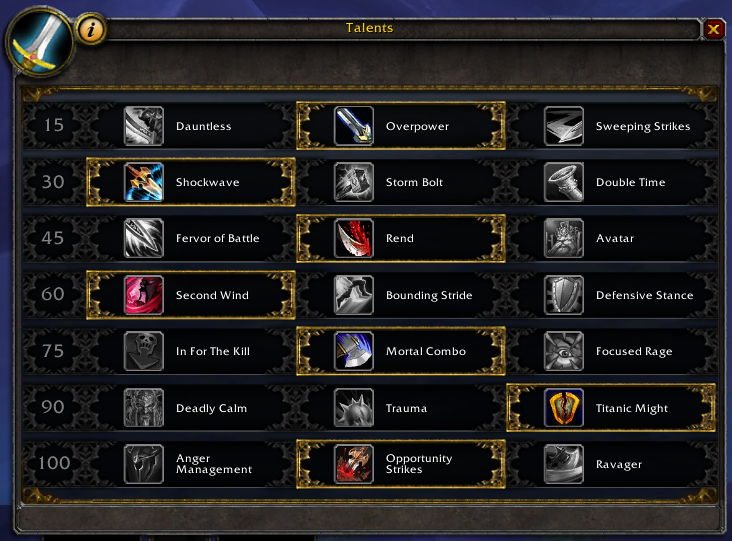
mostly pvp but can be used for pve i didn't really make it pvp based more of a bleed based talents spec so we can get the most damage out 

skulgar

Members

i edited a bit your cr, adding hamstrring commanding shout stormbolt on focus and some priority changes, do you have skype for share some tips? /pm

kunfuninja12

Members

On 7/22/2016 at 4:36 AM, skulgar said:

i edited a bit your cr, adding hamstrring commanding shout stormbolt on focus and some priority changes, do you have skype for share some tips? /pm

yes i have skype but i would like to keep my anonymity to my self 

jplayer01

Members

It doesn't use Overpower either?

Account

Navigation

Search

Search

Configure browser push notifications

Chrome (Android)
  1. Tap the lock icon next to the address bar.
  2. Tap Permissions → Notifications.
  3. Adjust your preference.
Chrome (Desktop)
  1. Click the padlock icon in the address bar.
  2. Select Site settings.
  3. Find Notifications and adjust your preference.