



Skip to content
View in the app

A better way to browse. Learn more.

WRobot

A full-screen app on your home screen with push notifications, badges and more.

To install this app on iOS and iPadOS
  1. Tap the Share icon in Safari
  2. Scroll the menu and tap Add to Home Screen.
  3. Tap Add in the top-right corner.
To install this app on Android
  1. Tap the 3-dot menu (⋮) in the top-right corner of the browser.
  2. Tap Add to Home screen or Install app.
  3. Confirm by tapping Install.

korororo

WRobot user
  • Joined

  • Last visited

Everything posted by korororo

  1. why my bot manytime trying to logout(20sec camp)? druing log. trying to logout. whatever i think log is clean
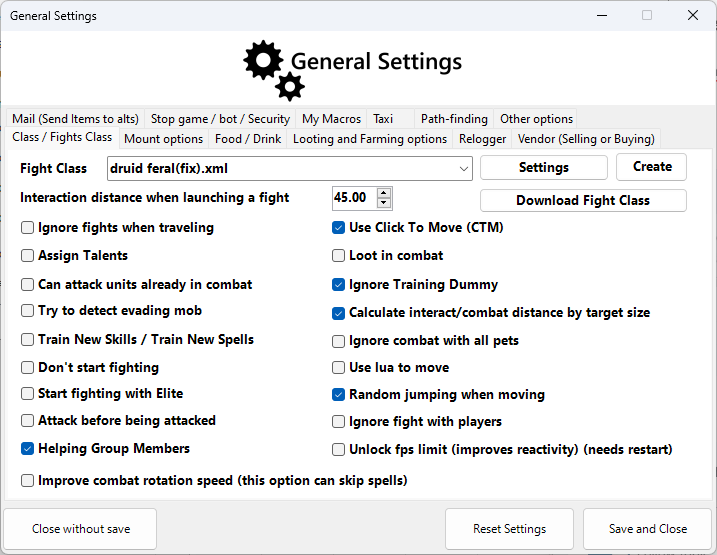
  2. Soved. it was Profile's problem it worked well in another Profile.
  3. it wasn't engilsh server. i changed it to engilsh. easy to understand. casting is done but. after gcd, moved and canceled.
  4. hi i use this bot private server i trying mounting. bot not wating cooldown my mount have 3sec cooldown but bot is move immediately after global cooldown 09:36:54 - [Quester] Started 09:36:54 - [Mount] Mounting ground mount kodo 09:37:03 - [Mount] Mounting ground mount kodo 09:37:17 - [Mount] Mounting ground mount kodo 09:37:20 - [Fight] Player Attacked by Ridge Huntress (lvl 38) [F] 09:37:21 - [Spell] Cast Earth Shock (Earth Shock)

Account

Navigation

Search

Search

Configure browser push notifications

Chrome (Android)
  1. Tap the lock icon next to the address bar.
  2. Tap Permissions → Notifications.
  3. Adjust your preference.
Chrome (Desktop)
  1. Click the padlock icon in the address bar.
  2. Select Site settings.
  3. Find Notifications and adjust your preference.