cvdasf
Members
-
Joined
-
Last visited
-
-
Still having the problem. :/
-
Thanks so much! exactly what was needed :)
-
my toon is gathering herbs and goes to loot them. He clicks on them opens it up but flies away before they go in my bag. Anyway to make him stop for another half second so he'll actually get the herbs?
-
You can go into your hardrive and find the world of warcraft folder and launch it that way. The bot should also ask you if you want to launch 32bit if its not currently opened.
-
ever Finish this?
-
The bot is going in a staight line and just keeps going forever. I have it on a grinder path which it follows for a few seconds then starts just going straight. the log says system.componentmodel.win32exception then number and invalid window handle.. Any advice?
-
ok thank you :) really appreciate it
-
How's the progress going?
-
Just let me know when your done :)
-
Thanks very much :)
-
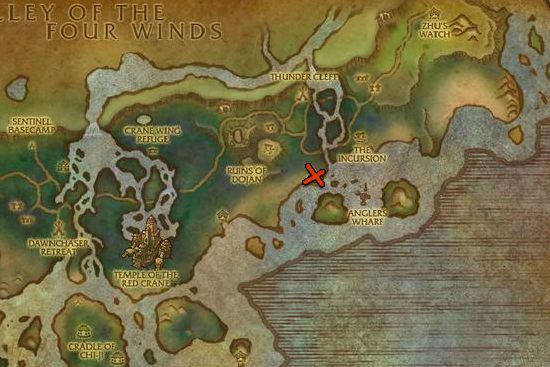
its where the X is. The bot always gets stuck on the ones that you cant hit because they are to high. I'm a BM hunter if that makes any difference. Thank you for your offer :)

-
I've attempted to make my own profile for farming windwool cloth but it always gets stuck. Anyone have a working profile? Need to farm ALOT of windwool cloth so any help would be greatly appreciated. Thanks!