Skip to content
View in the app

A better way to browse. Learn more.

WRobot

A full-screen app on your home screen with push notifications, badges and more.

To install this app on iOS and iPadOS
  1. Tap the Share icon in Safari
  2. Scroll the menu and tap Add to Home Screen.
  3. Tap Add in the top-right corner.
To install this app on Android
  1. Tap the 3-dot menu (⋮) in the top-right corner of the browser.
  2. Tap Add to Home screen or Install app.
  3. Confirm by tapping Install.

kolioli

Members
  • Joined

  • Last visited

Everything posted by kolioli

  1. I found this fightclass, it is working, but when using Metamorphosis its doing nothing TheBlo0d Demonology Warlock.xml 12 авг 2015 19H48.log.html
  2. Just summoning the demon and trying to hit, if enemy is near. The second fightclass is only using Life Tap. P.S. maybe it is important - Im playing not on official server. ___________________________ Just saw in log - it is trying to cast Dark Intent (82lvl skill) - but Im 21lvl.
  3. Here is log and 3 fightclasses, that I used. 12 авг 2015 17H01.log.html 1AppWarlock Demonology.xml OhrenDestruction Warlock.xml 1.0.0_Jh16_Warlock - Demonology.xml
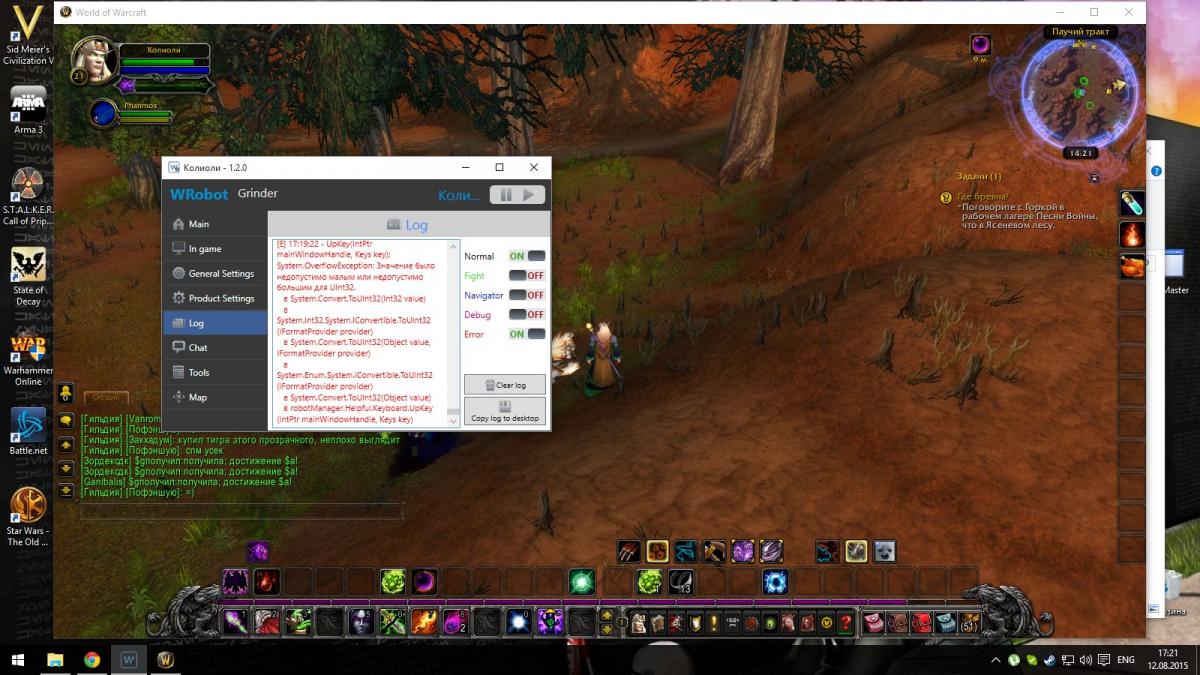
  4. When using fight classes my char do nothing, attacking just by demon. Here is screen with log.
Account

Navigation

Search

Search

Configure browser push notifications

Chrome (Android)
  1. Tap the lock icon next to the address bar.
  2. Tap Permissions → Notifications.
  3. Adjust your preference.
Chrome (Desktop)
  1. Click the padlock icon in the address bar.
  2. Select Site settings.
  3. Find Notifications and adjust your preference.