utterdisrespect
Members
-
Joined
-
Last visited
-
So whenever i try to change something in the advanced settings, when i click save and quit, the whole bot just hangs and quits. When i start up again it would say my character is in use and dont load properly, i have to close Wow and restart it to have WRobot working again, any idea how to solve this?
-
Also when i was looking at another downloaded garrison mining profile that worked, i noticed they have this section which i dont: <GatherEntry> <int>232542</int> <int>232541</int> <int>232544</int> </GatherEntry> I assume this is some kind of ID/code for node identification of some sorts? Can someone tell me what this is and how to edit/select this when im making a profile Thanks!
-
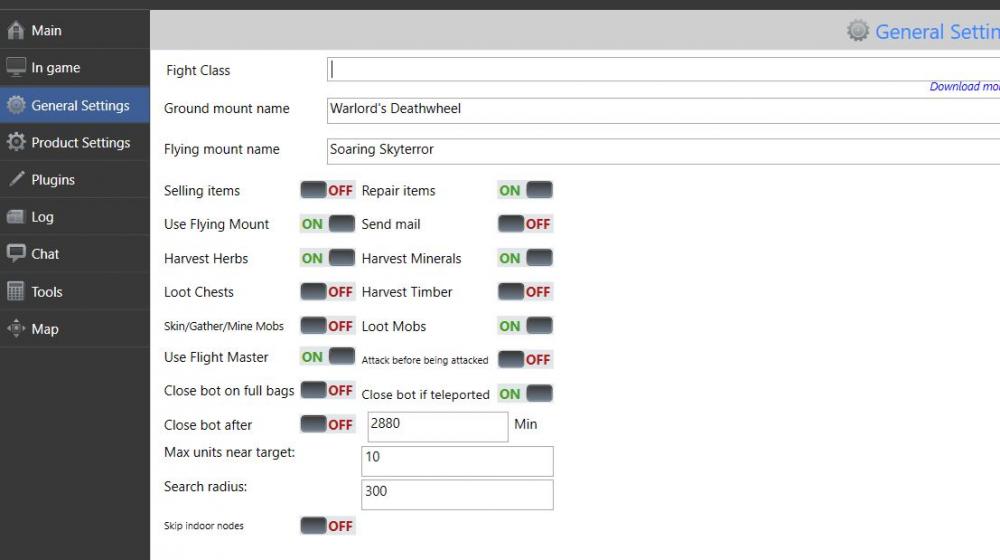
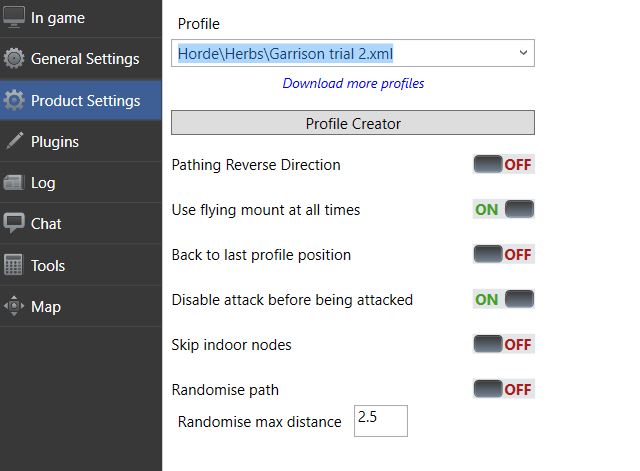
SS of my settings
-
Do you mean enabling mining and herbs, yes for sure i have. Also is there still a advanced setting tab?
-
Hmm maybe i dont know how to make a working profile, Droidz do you have a tutorial of making a gathering profile somewhere? I've checked the tutorial section but none is super helpful
-
Hey guys, so i was trying to create a custom profile for my own garrison mine/herb routine. I loaded up the profile creater and recorded my pathing in the herb garden and mine, but when i tried to play it, my character just mounts up and rushes to each of those path points without actually gathering anything. I tried searching this forum, seems like i have to adjust some stuff in the advanced general setting, when i tried looking at the current client, there is no such tab. Any inputs?
-
thanks problem solved
-
Hey mods, Im new to botting so this might sound noob. When im running Wow in 32 bit mode, i literally cannot control my camera angle, as soon as i click on either left or right mouse button and move the mouse a bit, the camera angle will start to go off in all directions, making it impossible to maneuver my character at all. I think in game my character is turning in all directions really fast. This happened when i was around other players and made me look really suspicious. Anything i can do to fix this? I just downloaded Wrobot the basic programme, not running any additional profile or whatever. Cheers