



Skip to content
View in the app

A better way to browse. Learn more.

WRobot

A full-screen app on your home screen with push notifications, badges and more.

To install this app on iOS and iPadOS
  1. Tap the Share icon in Safari
  2. Scroll the menu and tap Add to Home Screen.
  3. Tap Add in the top-right corner.
To install this app on Android
  1. Tap the 3-dot menu (⋮) in the top-right corner of the browser.
  2. Tap Add to Home screen or Install app.
  3. Confirm by tapping Install.

dieamsel

Members
  • Joined

  • Last visited

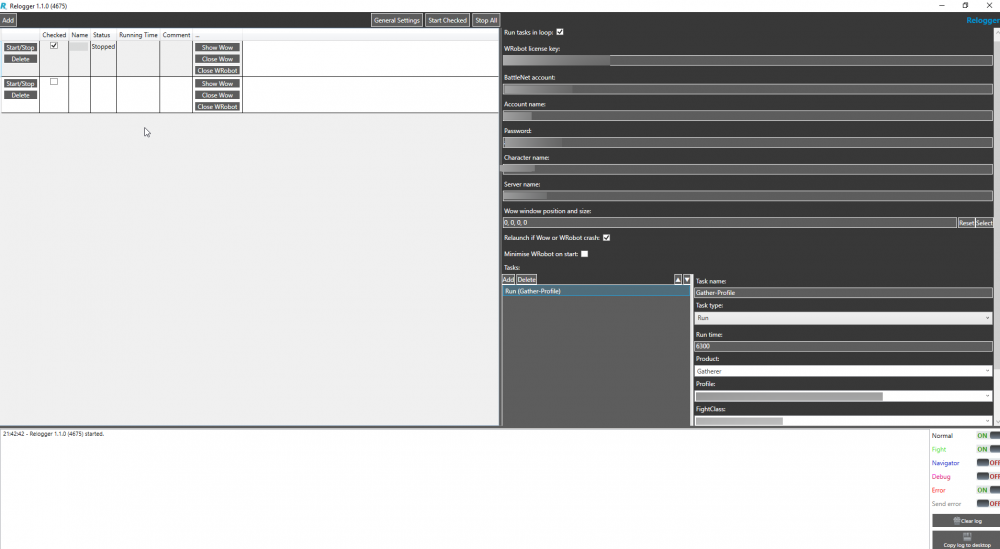
  1. Hello, I really love Wrbot but the relogger don't want to do his job. :x I do all the settings, wow folder, wrobot folder, everything else, add a task and press start. Then this happend: 10:49:32 - Relogger 1.1.0 (4675) started. 10:49:38 - Start profile DK. 10:49:38 - Profile DK 1, Run task[1]: Run (Gather-Profile) But no wow, no wrbot, nothing started. :( Any ideas?
  2.    dieamsel reacted to a post in a topic: Update Status - Patch 7.1.0 Build 22950
  3.    dieamsel reacted to a post in a topic: Update Status - Patch 7.1.0 Build 22950
  4. dieamsel changed their profile photo
  5. Any News about that feature? Sounds super awesome.
  6.    dieamsel reacted to a post in a topic: Sky golem fixed yet?
  7. Compilator Error: errorCS1061 'wManager.wManagerSetting' enthält keine Definition für 'NpcScan'

Account

Navigation

Search

Search

Configure browser push notifications

Chrome (Android)
  1. Tap the lock icon next to the address bar.
  2. Tap Permissions → Notifications.
  3. Adjust your preference.
Chrome (Desktop)
  1. Click the padlock icon in the address bar.
  2. Select Site settings.
  3. Find Notifications and adjust your preference.
