james83gw
Members
-
Joined
-
Last visited
Everything posted by james83gw
-
i just had to click on the string with the character name on the bot window. Unfortunately im not used to this bot, so had no idea i had to do that. anyway thx again for your help.
-
i manage to fix the probl! thx for your help guys :D
-
still doing the same problem also after reboot
-
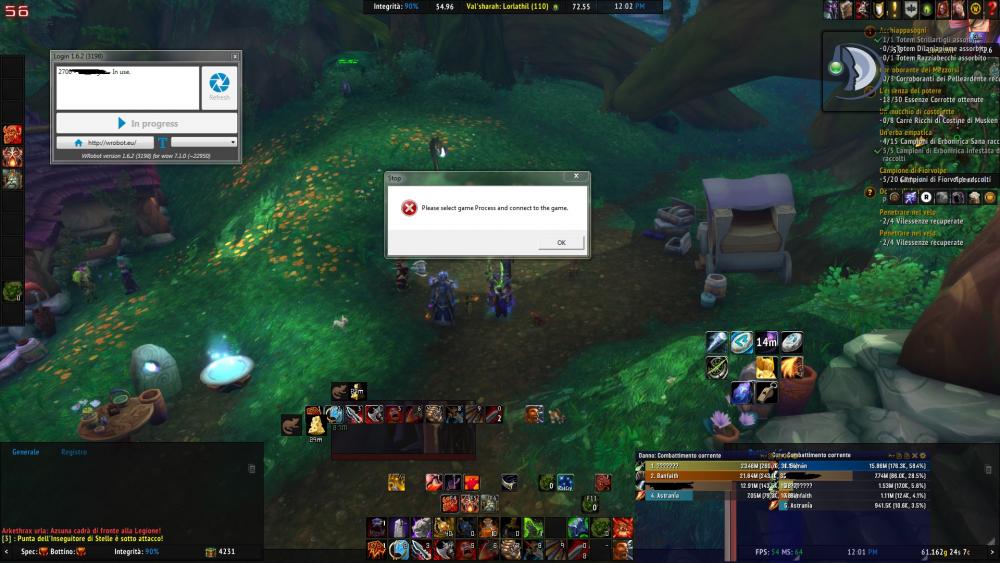
thats it. when i press the button to launch the bot, this message keep popping up.
-
This is my ingame screenshot with the bot. As you can see, it show me everytime this error and later ask to launch wow32 bit even if the game is already running.
-
Unfortunately i set up the 32bit mode on battle.net but the problem still persist. I'm not able to lauch the bot even if i'm in game. It keeps showing the window asking to select game process and after launching wow in 32 bit mode.
-
Hello, I just downloaded and subscribed to get the bot. After the installation, when i start wow and launch the bot program, it always appear a window asking to select game process and launch wow in 32 bit mode. If I press OK, the bot launch wow in window mode, but after that the bot program doesnt start. In the login window, whenever i press Launch bot, it appear this message even if my character is logged in. After that, i tried to reinstal the program, but now, everytime i trie to click on the Updater.exe icon, it launch the progr with Microsoft Visual Studio. Did I made anything worn on the installation? Can you help me pls?