Skip to content
View in the app

A better way to browse. Learn more.

WRobot

A full-screen app on your home screen with push notifications, badges and more.

To install this app on iOS and iPadOS
  1. Tap the Share icon in Safari
  2. Scroll the menu and tap Add to Home Screen.
  3. Tap Add in the top-right corner.
To install this app on Android
  1. Tap the 3-dot menu (⋮) in the top-right corner of the browser.
  2. Tap Add to Home screen or Install app.
  3. Confirm by tapping Install.

nook93ukr

Members
  • Joined

  • Last visited

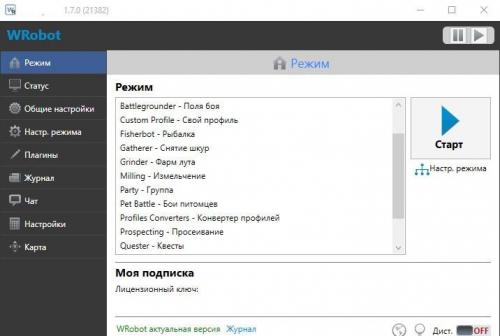
  1. Guys. At me WRobot eats on 70-100 MB of the RAM, it is possible as that to lower loading of the RAM?
  2. How to correctly set the conditions if two mobs attacked ? For example: Retaliation skills (Warrior class)
  3. When will the new version be released? With the Russian description of the settings of skills?
  4. Как задать условия к скилу, например. Если напало 2 моба, юзать тот баф, стан и прочее условия к разным скилам. Как оно называется в настройках профиля? Подскажите плиз еще как кормить пета, где эта команда?
  5. Ребята начал ботить на ваниль сервере. Нашел профиль но в формет .cs Куда ехго пихать в боте? нехуя не пойму.
  6. How do I upload a profile in cs format? P.S. Is there any Russian ?

Account

Navigation

Search

Search

Configure browser push notifications

Chrome (Android)
  1. Tap the lock icon next to the address bar.
  2. Tap Permissions → Notifications.
  3. Adjust your preference.
Chrome (Desktop)
  1. Click the padlock icon in the address bar.
  2. Select Site settings.
  3. Find Notifications and adjust your preference.