Alceste
Members
-
Joined
-
Last visited
-
21 sept. 2017 20H15.log.html
-
still not work. same error
-
work fine before the new update
-
[E] 14:42:08 - Compilator Error : warning CS1685: Le type prédéfini 'System.Runtime.CompilerServices.ExtensionAttribute' est défini dans plusieurs assemblys dans l'alias global ; utilisation de la définition de 'c:\Windows\Microsoft.NET\Framework\v4.0.30319\mscorlib.dll' c:\Users\Firas\AppData\Local\Temp\yllrm5ic.0.cs(1017,19) : error CS0117: 'wManager.Wow.Helpers.Quest' ne contient pas de définition pour 'NPCList' c:\Users\Firas\AppData\Local\Temp\yllrm5ic.0.cs(1462,29) : error CS0117: 'wManager.Wow.Helpers.Quest' ne contient pas de définition pour 'NPCList' [E] 14:43:19 - Compilator Error : warning CS1685: Le type prédéfini 'System.Runtime.CompilerServices.ExtensionAttribute' est défini dans plusieurs assemblys dans l'alias global ; utilisation de la définition de 'c:\Windows\Microsoft.NET\Framework\v4.0.30319\mscorlib.dll' c:\Users\Firas\AppData\Local\Temp\ug2izyk4.0.cs(16,7) : error CS0246: Le type ou le nom d'espace de noms 'EDyrPcMmgRoyWhnyivMvoYzOonAozPupURMCJTEI' est introuvable (une directive using ou une référence d'assembly est-elle manquante ?)
-
same problem here
-
-
-
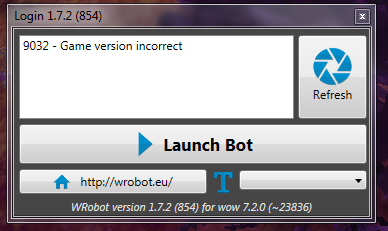
there is a new minor update a few minutes ago in battlenet and the bot doesn't work