yesimbestworld
Members
-
Joined
-
Last visited
Everything posted by yesimbestworld
-
yesimbestworld replied to yesimbestworld's topic in WRobot for Wow Mists of Pandaria - Help and supportis there any posibility that you guys could fix that?
-
yesimbestworld replied to yesimbestworld's topic in WRobot for Wow Mists of Pandaria - Help and supporttried it, both MoP Versions cant be loaded there since their launcher. sadly..
-
yesimbestworld replied to yesimbestworld's topic in WRobot for Wow Mists of Pandaria - Help and supportmight be a good idea, thanks
-
Hello guys, its been a long time since i used Wrobot on Pandawow, it was before their launcher release obviously. Now im just asking myself if someone plays there or better said does it even work with the launcher? I dont wanna buy Wrobot again when its not even working :/ Thanks for the help
-
yesimbestworld replied to yesimbestworld's topic in WRobot for Wow Mists of Pandaria - Help and supportNope there is nothing in the log...so you are probably right about it, i think there bug something :/ Still, im thankful that you tried to help me
-
yesimbestworld replied to yesimbestworld's topic in WRobot for Wow Mists of Pandaria - Help and supportwell, no error now but it just dont work. i loaded the fight class but yea, nothing happens. i've also rewritten the macro. it just uses orbs like usual like nothing changed. sadly :/ but thanks for your help anyways ps: i reinstalled wrobot and resetted the settings
-
yesimbestworld replied to yesimbestworld's topic in WRobot for Wow Mists of Pandaria - Help and supporttrying it out, thanks
-
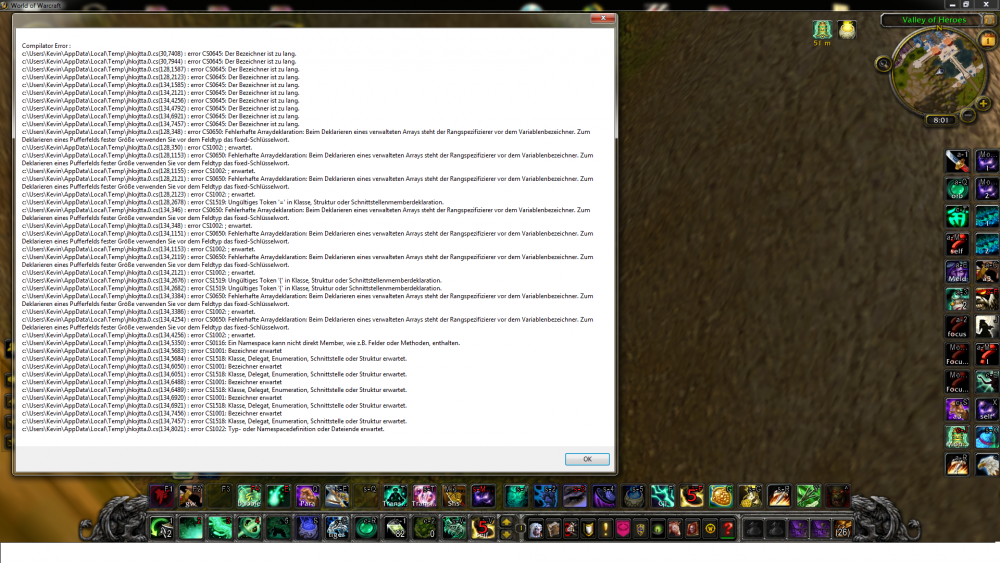
yesimbestworld replied to yesimbestworld's topic in WRobot for Wow Mists of Pandaria - Help and supportSo i tried it out and im getting this kind of error not sure if it helps you cause its in German
-
yesimbestworld replied to yesimbestworld's topic in WRobot for Wow Mists of Pandaria - Help and supportWow, thanks alot. Ill try it :) <3
-
yesimbestworld replied to yesimbestworld's topic in WRobot for Wow Mists of Pandaria - Help and supportmw.xml
-
yesimbestworld replied to yesimbestworld's topic in WRobot for Wow Mists of Pandaria - Help and supportWell i tried it out to create a Fightclass with this lua script but for some reason it wont work. probably im just to stupid for it :x
-
yesimbestworld replied to yesimbestworld's topic in WRobot for Wow Mists of Pandaria - Help and supportThanks, ill try it out later
-
yesimbestworld replied to yesimbestworld's topic in WRobot for Wow Mists of Pandaria - Help and supportyea but is it possible to use it only when i press the "hotkey" or something, instead of spamming it. i would like to use it by myself instead of letting the bot spam it. is it possible?
-
yesimbestworld replied to yesimbestworld's topic in WRobot for Wow Mists of Pandaria - Help and supportup. no one got a clue how to make a script like this?
-
Hello Guys, is it possible to create a script that simply put healing spheres under my current target instead of placing them by myself? I'll appreciate any help, thanks <3