




bigolivieri
Members
-
Joined
-
Last visited
-
-
Where is that option located?
-
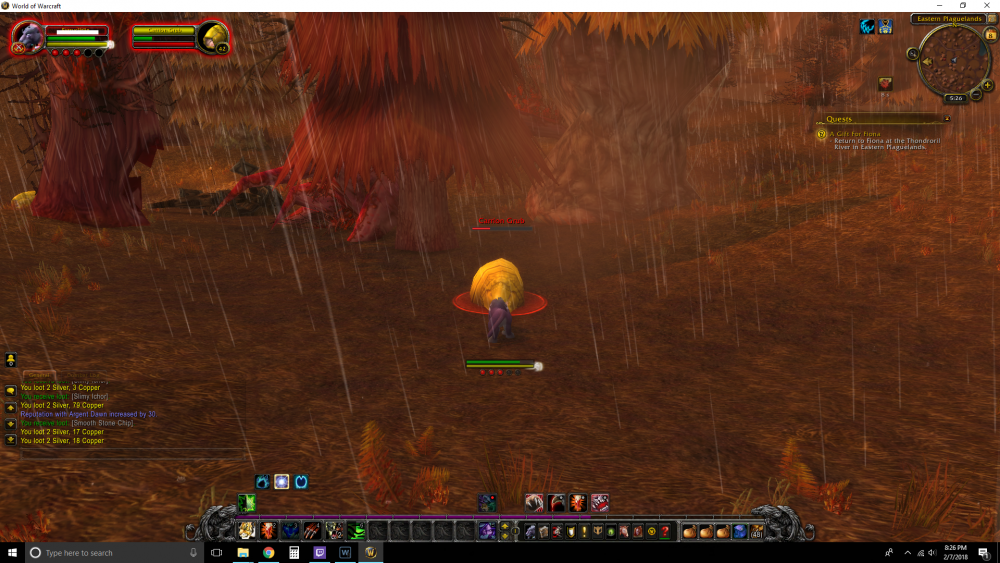
Hello! Just started my first Druid Character. Of course on a private server. Issue: Character and mob are at a Stand Still. For some reason they are both at a perfect distance from each other. Attempted fix: Decreasing the distance between Mob and i in Fight Profile to 2. But still no fix. Any tips or recommendations? Thanks!
-
Lots of Old content that need to get cleaned up. or moved to other files. Alot of the data/downloads here are a mess.
-
This bot and Forums seem to be very empty. I have been a member going on + a month now. These are my findings. It seems that everything that someone may want of this bot, is going to have to make it yourself. (Nothing Wrong With That) If there are solid profiles out there, you must pay for them. We already pay for a subscription. Why not some solid content to go with it? This may seem like a rant, and i hope it doesn't. Im simply just curious if this bot is dead or just have a skeleton crew keeping it alive. And what are the goals and improvements that you guys are aiming for? More PVP? More lifelike ? I dont want to continue making profiles/quests/grinding profiles for my personal use if it seems as if no one else is going to either. I hope im not alone.

