Darkstream
Members
-
Joined
-
Last visited
-
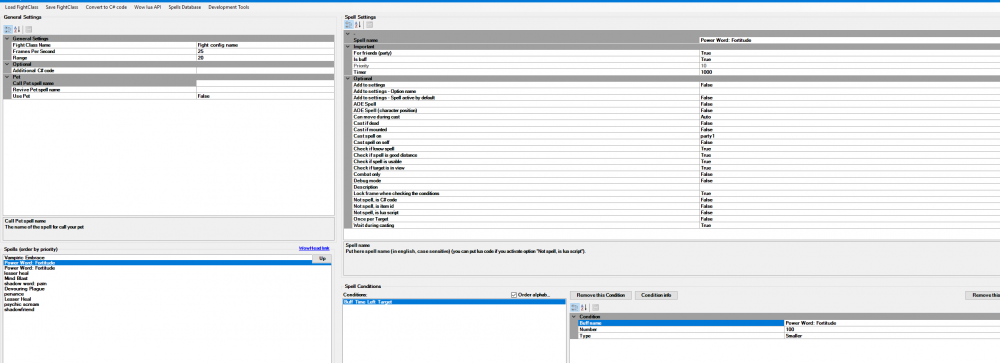
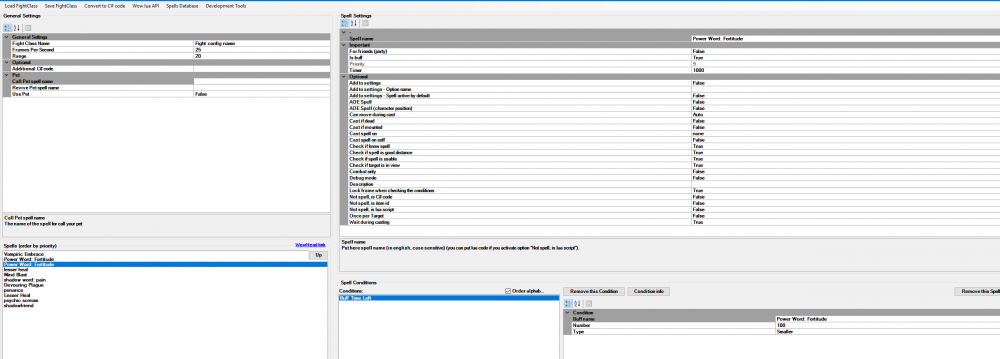
Hey guys, First of all that bot is really amazing and you can do a lot with it! Now to the buisness. I wanna create my first fight class one for priest and one for pala (wotlk 3.3.5). They both level together. Damage Spells and Heals works fine. Only Problem I got are buffs. As you can see on my Images I have created two spells for Power Word: Fortitude. One time for myself and one time for my party. If the priest has no buff he checks the pala first if he has a Power Word: Fortitude buff and then cast on him or not. After that, the priest checks on himself for the buff and buffs himself or not. So my problem now is that when i manually remove the buff from my pala the priest doesnt cast it on him anymore. Only when the buff on the priest expires. I set the timer to 1 sec so he checks it more frequently. Also the priority for buffing the party member are higher then for self. And when I set for friends true, does he cast buffs on every party member or do I need to cast spell on party1, party2 etc..