Skip to content
View in the app

A better way to browse. Learn more.

WRobot

A full-screen app on your home screen with push notifications, badges and more.

To install this app on iOS and iPadOS
  1. Tap the Share icon in Safari
  2. Scroll the menu and tap Add to Home Screen.
  3. Tap Add in the top-right corner.
To install this app on Android
  1. Tap the 3-dot menu (⋮) in the top-right corner of the browser.
  2. Tap Add to Home screen or Install app.
  3. Confirm by tapping Install.

lovehehe

Members
  • Joined

  • Last visited

Everything posted by lovehehe

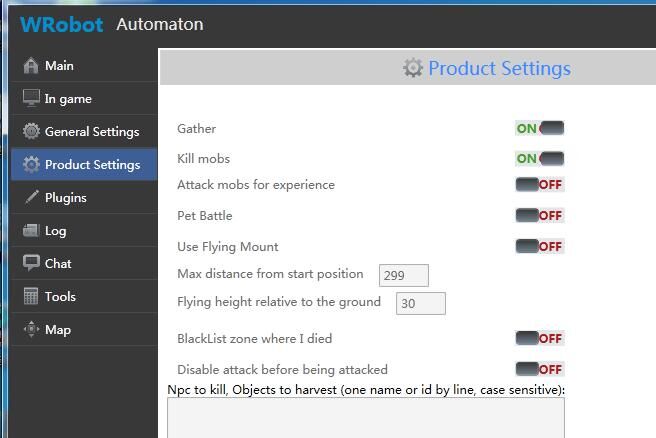
  1. He has been used for a long time Only use fishing Always there will not move the state Will only attack the monster around Do not move to find monsters Will only stay in place Recording Daguai path can not be used Recorded hunting monster path can not be used normally Will not move normally
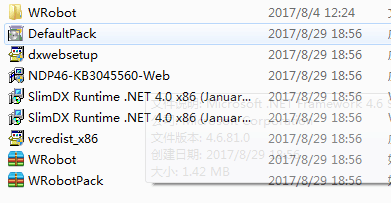
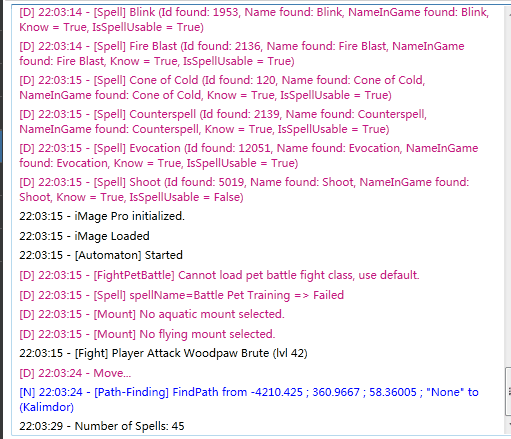
  2. Help some friends buy this robot But has been unable to normal use The problem with my title appears Here is the log of one of the friends 30 八月 2017 23H35.log.html
  3. He can not work properly Not picking up normally Will only stay in place Not looking for monsters
Account

Navigation

Search

Search

Configure browser push notifications

Chrome (Android)
  1. Tap the lock icon next to the address bar.
  2. Tap Permissions → Notifications.
  3. Adjust your preference.
Chrome (Desktop)
  1. Click the padlock icon in the address bar.
  2. Select Site settings.
  3. Find Notifications and adjust your preference.