




Smarter
-
Joined
-
Last visited
Posts posted by Smarter
-
-
-
-
That's what I do now to figure out if the quest is ready for turn in.
However, The issue I was having was there was no way to select which quest to turn in if you have multiple completed quests with a NPC, you could only send Quest.CompleteQuest(), it offered a Gossip Option but no way to tell what that option said or was. I was going to simply track the event, but they don't seem to return any Args on Vanilla to let me know which one I completed ?
-
If the internal Questing BotBase of WRobot isn't used, then there's no way for the bot to track completed quests. I wrote my own Quest BotBase and realized that :(. Vanilla doesn't have IsQuestFlaggedCompleted :(. I assume your botbase is recording completed quests? How are you detecting the completion, Quest Events?
-
@Droidz is Quest.GetQuestCompleted based off of something internal to the game, or is it tracking completed quests itself.
-
I figured it out, I programatically registered the types
public class WoWClassDbConfig : DbConfiguration {public WoWClassDbConfig() { // Register Entity Framework provider SetProviderServices("MySql.Data.MySqlClient", new MySqlProviderServices()); SetDefaultConnectionFactory(new MySqlConnectionFactory()); } public void SetupConnection(string username, string password, string server) { var entityConnectionStringBuilder = new EntityConnectionStringBuilder { Provider = "MySql.Data.MySqlClient", ProviderConnectionString = $"server={server};user id={username};password={password};persistsecurityinfo=True;database=wowdb;ConvertZeroDateTime=true;SslMode=none", Metadata = "WoWClassicDb.csdl|WoWClassicDb.ssdl|WoWClassicDb.msl" }; entityConnectionStringBuilder.ProviderConnectionString += ";pooling=false"; ConnectionString = entityConnectionStringBuilder.ToString(); } public string ConnectionString { get; set; } } [DbConfigurationType(typeof(WoWClassDbConfig))] public partial class WoWClassicDb : DbContext { public WoWClassicDb(string connectionString) : base(connectionString) { } -
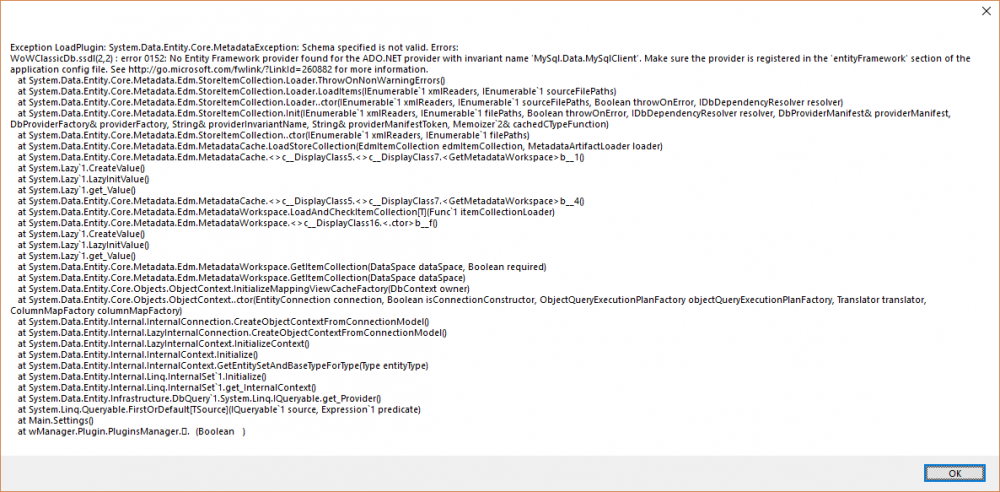
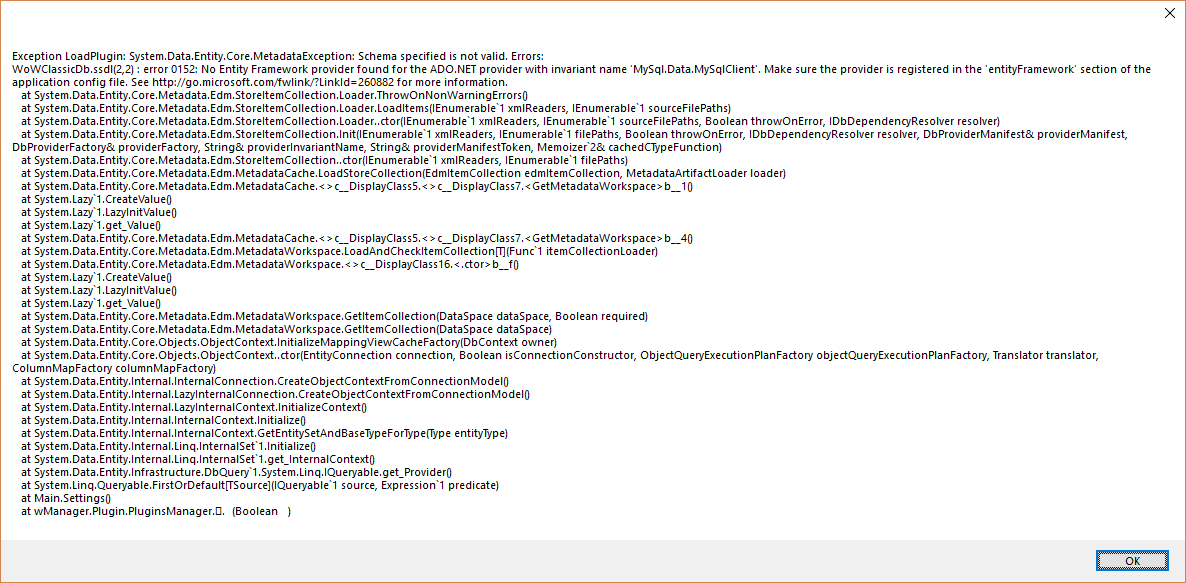
I am using Entity Framework in my project which requires additions to the app.config:
						  <configSections>
							<!-- For more information on Entity Framework configuration, visit http://go.microsoft.com/fwlink/?LinkID=237468 -->
							<section name="entityFramework" type="System.Data.Entity.Internal.ConfigFile.EntityFrameworkSection, EntityFramework, Version=6.0.0.0, Culture=neutral, PublicKeyToken=b77a5c561934e089" requirePermission="false" />
						  </configSections>
						  <entityFramework>
							<providers>
							  <provider invariantName="System.Data.SqlClient" type="System.Data.Entity.SqlServer.SqlProviderServices, EntityFramework.SqlServer" />
							  <provider invariantName="MySql.Data.MySqlClient" type="MySql.Data.MySqlClient.MySqlProviderServices, MySql.Data.Entity.EF6, Version=6.10.7.0, Culture=neutral, PublicKeyToken=c5687fc88969c44d"></provider>
							</providers>
							<defaultConnectionFactory type="System.Data.Entity.Infrastructure.LocalDbConnectionFactory, EntityFramework">
							  <parameters>
								<parameter value="mssqllocaldb" />
							  </parameters>
							</defaultConnectionFactory>
						  </entityFramework>
However, if I modify WRobot.exe.config the application will not start.
-
Not recognize Quest.GetQuestCompleted()
in Quester assistance
That's pretty much where i'm at. This really sucks ?. Kinda lost my drive to continue on the project because of it.