ICANHASCHEEZ
Members
-
Joined
-
Last visited
Everything posted by ICANHASCHEEZ
-
Undead and searching for a najs vanilla 1.12 profile for questing, anyone?
-
Oh shit - where do I download the one for 1.12?
-
Here we go
-
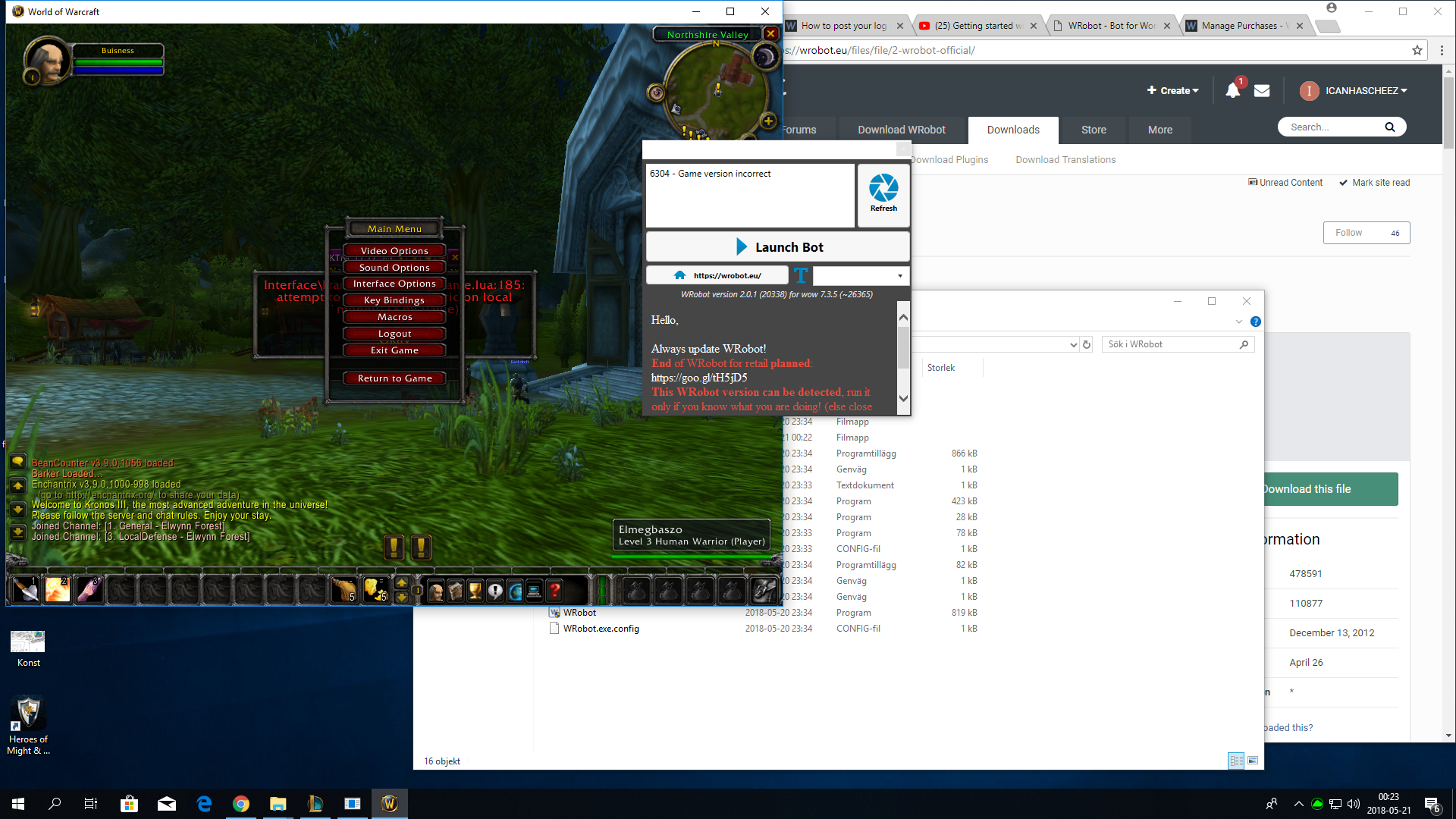
This is what I get,. I cant get to that part where u save log...? 20 maj 2018 23H34 - NfAVJsn.log.html 20 maj 2018 23H34.log.html 21 maj 2018 11H41 - bAgk.log.html 21 maj 2018 11H41.log.html
-
This is what I get,. I cant get to that part where u save log...?
-
Hi ppl! I checked out the tutorials to creat a shortcut version of the wow.exe, add "-noautolaunch64bit" and change name to wow 32bit... but as soon as i launch the Wrobot client it only ask me if I want to start wow, not wow 32bit? So everytime I launch the game in just "wow", it says 5676 - Game version incorrect I´m trying to use it on a 1.12 server Anyone knows what the problem might be, have you had the same issue? sincerely J