
TheSmokie
Banned
-
Joined
Files posted by TheSmokie
-
D-bot is a two way communication and Integration bot for discord to be able to communicate with players ingame.
Also has different command to help tell your bot what to do,
Special thanks goes to @Avvi For letting me using the code for his paid Product plugin.
Discord Commands :
1. /w {Playername} Message
2. /s Message
3. /CloseWow or /CW (This will close wow and close wrobot.)
4. /Town (Forces bot to go to town.)
5. /Train (Force bot to go train spells.)
Create Discord Server:
1. Open Discord Desktop Application.
2. Select the New Server button. It is shaped like a plus on the left side of the application (+).
3. Enter a name for your Discord Server.
Configuring Discord Webhook for Discord Notifications:
1. Click the Settings Button of the General channel.
2. Click Webhooks on the Settings Page and select the Create Webhook button.
3. Enter a Name for the webhook, and then COPY the Webhook URL.
4. Click Save.
5. Paste Webhook URL into WRobot D-Bot settings Discord Webhook URL field.
Configuring Discord Bot:
1. Go To URL: https://discordapp.com/developers/applications/me
2. Click New App
3. Give App a Name.
4. Click Create App.
5. Click Create a Bot User.
6. Next to the Token button, click the CLICK TO REVEAL url.
7. Copy the Token. SAVE THIS
8. Click on OAuth2
9. in the SCOPES options in OAuth2 Cleck the bot Box
10. in OAuth2, BOT PERMISSIONS select the "Administrator"
11. Copy the URL at the bottom of SCOPES
12. Past into your search engine
13. Select your custom server that you added a Webhook to. Make sure Read Messages and Read Message History are checked.
14. Click Authorize.
If you find any bugs or want me to implement anything, Join our discord server and send me a message. : https://discordapp.com/invite/xQuhs5C
- 149 Downloads
- 8 Comments
Updated -
Hello,
Today my Team (Raven) want to share a beta of our new upcoming plug-in Selector - Quest Rewards.
it will help make quest more Afk-able by Selecting items Quest rewards meant for your Class.
This plugin is still in Beta! so there will still be problems.
Help / Support :
If you find any bugs or want me to implement anything,
Join our discord server and send me a message. : https://discordapp.com/invite/xQuhs5C
Features :
1) Quest Reward Selector.
2) Auto-Equip (in beta.)
3) Swim Up
4) Bag Management (Replace bag with a hire bag slot.)
5) Hunter Quiver,
6) Potion Management,
7) Deleter
? Use bandages (First Aid)
How to Install :
User\WRobot\Plugins\Selector
Developers :
@TheSmokie
@KateLibby
- 782 Downloads
- 3 Comments
Updated -
Hello,
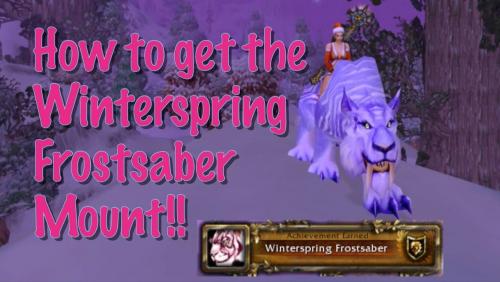
Today i wanted to share my Reins of the Winterspring Frostsaber Mount Farming Profile. I use this to get the mount.
Quests:
Frostsaber Provisions Winterfall Intrusion If you find any bugs or want me to implement anything, Join our discord server and send me a message. : https://discordapp.com/invite/xQuhs5C
- 454 Downloads
- 2 Comments
Updated