Skip to content
View in the app

A better way to browse. Learn more.

WRobot

A full-screen app on your home screen with push notifications, badges and more.

To install this app on iOS and iPadOS
  1. Tap the Share icon in Safari
  2. Scroll the menu and tap Add to Home Screen.
  3. Tap Add in the top-right corner.
To install this app on Android
  1. Tap the 3-dot menu (⋮) in the top-right corner of the browser.
  2. Tap Add to Home screen or Install app.
  3. Confirm by tapping Install.

Whathefak

Members
  • Joined

  • Last visited

Files posted by Whathefak

  1. Its my first FC, and i would like to share it with u guys enjoy, test it and share ur comment
    Thanks to @nonstop1005
    • 1232 Downloads
    • 2 Comments
    Updated
  2. all ya need is in the pictures :} i think is the best profile from me at this time
    • 790 Downloads
    • 1 Comments
    Submitted
  3. If u want only mining farming uncheck ur herb farm, if u want only herb should unchek mining
    Kun Lai - Townlong Steppes, Herb Mining
    Added more Spots to the blacklist !

    Nodes : 100-140 p/h
    Kill : 0/30 p/h
    Deaths : 0/5 p/h
    Mailbox : Yes
    Repair : Yes
    Horde Only
    • 891 Downloads
    Updated
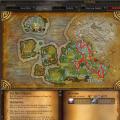
  4. Jade Forest Mining + Herb + Mailbox-Repair, horde side

    Nodes : 150-230 p/h
    Kill : 0-10 p/h
    Deaths : 0 p/h
    • 1135 Downloads
    • 4 Comments
    Submitted
  5. Im using DK lvl 80 Blood and its going pretty well
    Nodes : 100-160 ph
    Kills : 30-60 ph
    Mail : Yes
    Repair : Yes
    Horde : Yes
    Ally : Yes
    • 890 Downloads
    • 3 Comments
    Submitted
  6. Uldum profile for mining, thats the short version !
    kills 0-10 per hour
    Nodes 90-120 per hour
    mailbox +
    repair +
    Ally,Horde side
    • 530 Downloads
    Submitted
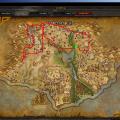
  7. Townlong Steppes Mining !
    Kills 20-50 per hour
    Nodes 100-140 per hour
    Mailbox added
    No repair
    Horde Side
    • 513 Downloads
    Submitted

Account

Navigation

Search

Search

Configure browser push notifications

Chrome (Android)
  1. Tap the lock icon next to the address bar.
  2. Tap Permissions → Notifications.
  3. Adjust your preference.
Chrome (Desktop)
  1. Click the padlock icon in the address bar.
  2. Select Site settings.
  3. Find Notifications and adjust your preference.