




woshiyizhiyuhahahaha
Members
-
Joined
-
Last visited
-
-
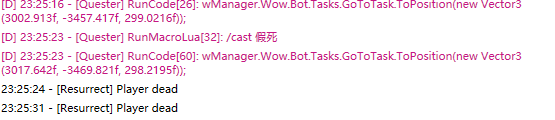
版主大哥,人物假死以后WR会判定角色死亡,如何假死之后站起来继续战斗呢
-
有没有大佬有指令代码的合集啊,每次写脚本都需要找需要的命令,感谢。
-
-
woshiyizhiyuhahahaha replied to woshiyizhiyuhahahaha's topic in WRobot for Wow Wrath of the Lich King - Help and supportThank you very much for your help
-
有什么办法可以把小怪拉到BOSS处一起杀掉,请大神给个指导!
-
-
-
23 8月 2021 00H17.log.html 我的机器人不按照我录制的路径跑,尤其是在地下城内一直卡位!请帮忙解决,谢谢。!
-
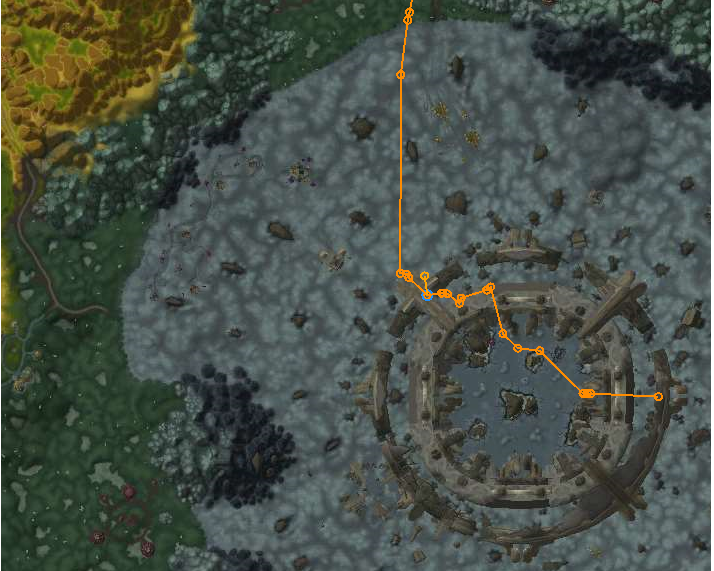
自动寻路为什么一直卡位,如图,能帮忙解决下呗,是不是远程模式下才下载地图?
-
已经使用了,请问用什么节点好
-
[E] 00:55:14 - GetReqWithAuthHeader(string url, String userName, String userPassword): System.Net.WebException: 远程服务器返回错误: (400) 错误的请求。 在 System.Net.HttpWebRequest.GetResponse() 在 robotManager.Helpful.Others.GetReqWithAuthHeader(String url, String userName, String userPassword, String othersValue)
-
-


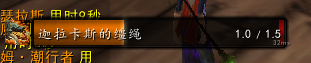

V0QT2.png.c21f8744ecf47938383c4a4b3c3ec89f.png)
5S(A1(IESL.png.da6c21908f9e529f913c5b35fd17331d.png)