




GreedoShotFirst
WRobot user
-
Joined
-
Last visited
-
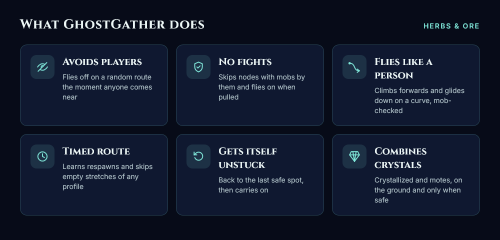 Other players When any player, friendly or not, comes within range, it stops gathering and flies away along a random route that avoids terrain, mobs and no-go areas. It predicts which way the player is heading, so it breaks away from their line instead of flying alongside them. On the ground (caves, buildings) it runs along real walkable paths and takes off as soon as it’s outside. If it’s mid-fight, it finishes the fight first. Once it’s far enough away, it picks your route back up at the nearest point. It skips nodes with another player standing next to them. AFK players, your party and an ignore list don’t count. No fights It skips any node with a mob next to it, measured from the mob’s edge, so big mobs like jormungar count properly. Flying mobs hovering above count too. It knows exactly which node WRobot is going for and stops the trip if that node isn’t safe. If a mob pulls you while you’re flying, it keeps flying instead of landing to fight. Flies like a person It takes off climbing forwards, after a moment’s “reaction time”. It glides down to nodes on a gentle curve, steep at first and levelling off, instead of diving straight down. Every part of the glide is checked against mobs and terrain. If no glide is clear, it drops straight down; if that isn’t clear either, it skips the node. Timed route (works with any profile) It learns where the nodes on your route are and when each one comes back. While flying, it cuts across stretches of your route where nothing will be up yet. Shortcuts are only taken along a clear line, away from mobs. Gets itself unstuck When stuck, it blacklists what it was going for, flies back to the last spot where it was moving freely, and carries on with the route. It only stops the bot if that fails three times. Combines crystals and motes 10 Crystallized X becomes Eternal X, and 10 Mote of X becomes Primal X. It does this when you’re already on the ground after a pick, never in the air and never next to a mob. Safety net It stops, pauses or warns you on: no progress, repeated deaths, GM whispers, other whispers, sudden health loss, or nothing gathered for a long time. It shows on-screen alerts with a sound, and can send optional phone alerts via Discord or Telegram. Extras: other players shown on your minimap, a heatmap of where and when players turn up, and a session report. How to use (please read) How to report a bug
-
GreedoShotFirst changed their profile photo
-
Been having this issue all day, when using gatherer in Storm Peaks my character moves spazzy and then flies up forever. 15:42:18 - [WOTLK - Druid]: Rotation started 15:42:18 - [Gatherer] Started 15:42:18 - [StackCombiner] Started with 13 rule(s), e.g. Crystallized Fire x10. 15:42:18 - [StackCombiner] Bag check: none of the combinable items are in your bags right now. 15:42:20 - [FlightPlanner] Structure between the character and the destination, flying around it (2 legs, +82 yards) 15:42:23 - [Farming] Farm failed 15:42:23 - [Blacklist] 1 Units hostile Near object Lichbloom 15:42:23 - [Farming] Farm Icethorn > 6807.28 ; -629.372 ; 976.36 ; "None" 15:42:26 - [FlightPlanner] Structure between the character and the destination, flying around it (2 legs, +27 yards) 15:42:26 - [Wholesome Vendors]: States added 15:42:28 - [Farming] Farm failed 15:42:28 - [WOTLK - Druid]: Rotation disposed [E] 15:42:28 - DisposPlugin(): System.NullReferenceException: Object reference not set to an instance of an object. at Main.Dispose() at wManager.Plugin.PluginsManager..() Seems to be the same with quester etc