Skip to content
View in the app

A better way to browse. Learn more.

WRobot

A full-screen app on your home screen with push notifications, badges and more.

To install this app on iOS and iPadOS
  1. Tap the Share icon in Safari
  2. Scroll the menu and tap Add to Home Screen.
  3. Tap Add in the top-right corner.
To install this app on Android
  1. Tap the 3-dot menu (⋮) in the top-right corner of the browser.
  2. Tap Add to Home screen or Install app.
  3. Confirm by tapping Install.

financelxy

Members
  • Joined

  • Last visited

  1. 已经解决了,不用回复了,谢谢
  2. 加个微信交流一下啊,朋友,VX: suiyuerufeng2021
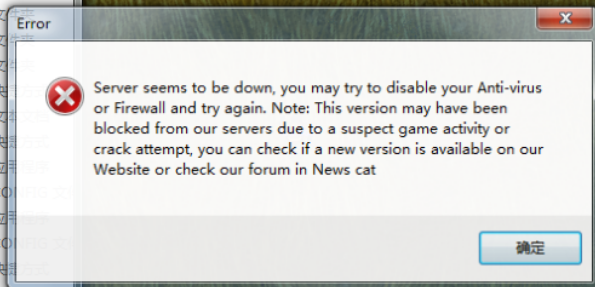
  3. 我已经关闭了防火墙和杀毒软件,并且已经完成了相关基础框架软件的安装,但是,wrobot还是不能正常工作
  4. 18 二月 2023 13H33.log.html

Account

Navigation

Search

Search

Configure browser push notifications

Chrome (Android)
  1. Tap the lock icon next to the address bar.
  2. Tap Permissions → Notifications.
  3. Adjust your preference.
Chrome (Desktop)
  1. Click the padlock icon in the address bar.
  2. Select Site settings.
  3. Find Notifications and adjust your preference.