



Skip to content
View in the app

A better way to browse. Learn more.

WRobot

A full-screen app on your home screen with push notifications, badges and more.

To install this app on iOS and iPadOS
  1. Tap the Share icon in Safari
  2. Scroll the menu and tap Add to Home Screen.
  3. Tap Add in the top-right corner.
To install this app on Android
  1. Tap the 3-dot menu (⋮) in the top-right corner of the browser.
  2. Tap Add to Home screen or Install app.
  3. Confirm by tapping Install.

Bot does not fly high enough

  • Version: All
  • Product: WRobot General
  • Type: Bug
  • Status: Not a Bug

Hello,

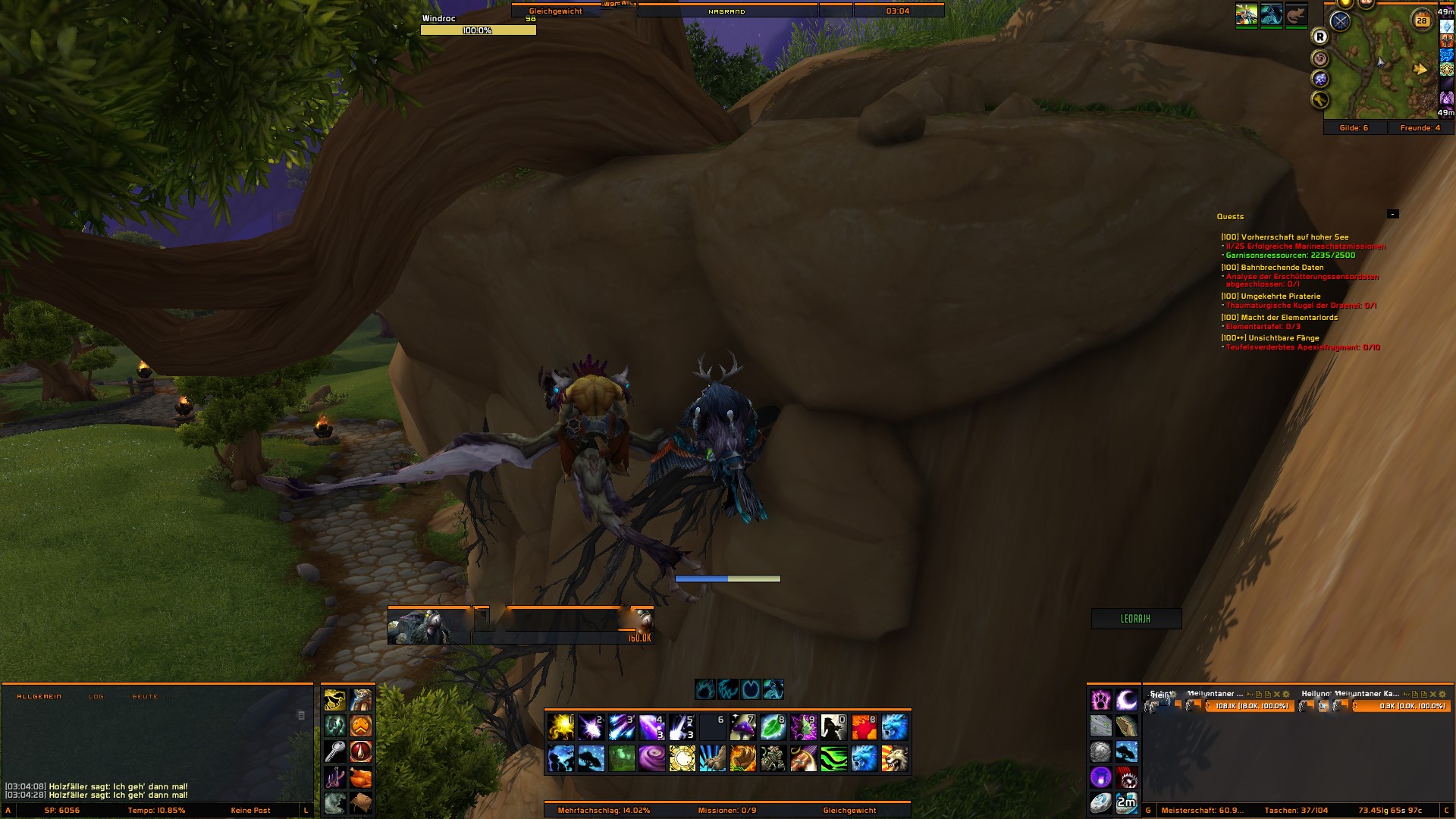
when I use a flying mount flying the bot only just above the ground.

thereby hestucks on very many places and looks strong after using bot and the bot can not continue to work. the flying height should be changed urgently.


Attached Files:
User Feedback

Recommended Comments

BetterSister

Elite user

There is option in settings for it but i can't check where because i won't be home before tomorrow 

BetterSister

Elite user

Changed Status to Awaiting Feedback

Changed Version to All

Dlarge

Members

please can you show me the settings. I have some trouble with it and i think this are mesh issues.

CaughtUMirin

Members

I'm having the same issue and I can't find the setting you mentioned... The bot is flying a feet off the ground in most places, uses pathing like a ground mount (taking roads, but hovering), and has a hissy fit when it meets water or a cliff.

Hello, to avoid to fly just above the ground, use in your profiles/NPCs positions type "Flying".

kyle908

Members

Im having the same problem, can someone walk me thru it or give better detail on how to fix it?

Create an account or sign in to comment

Account

Navigation

Search

Search

Configure browser push notifications

Chrome (Android)
  1. Tap the lock icon next to the address bar.
  2. Tap Permissions → Notifications.
  3. Adjust your preference.
Chrome (Desktop)
  1. Click the padlock icon in the address bar.
  2. Select Site settings.
  3. Find Notifications and adjust your preference.