




- Product: WRobot General
- Type: Bug
- Status: Unconfirmed
My WRobot interface is hanging at this state:
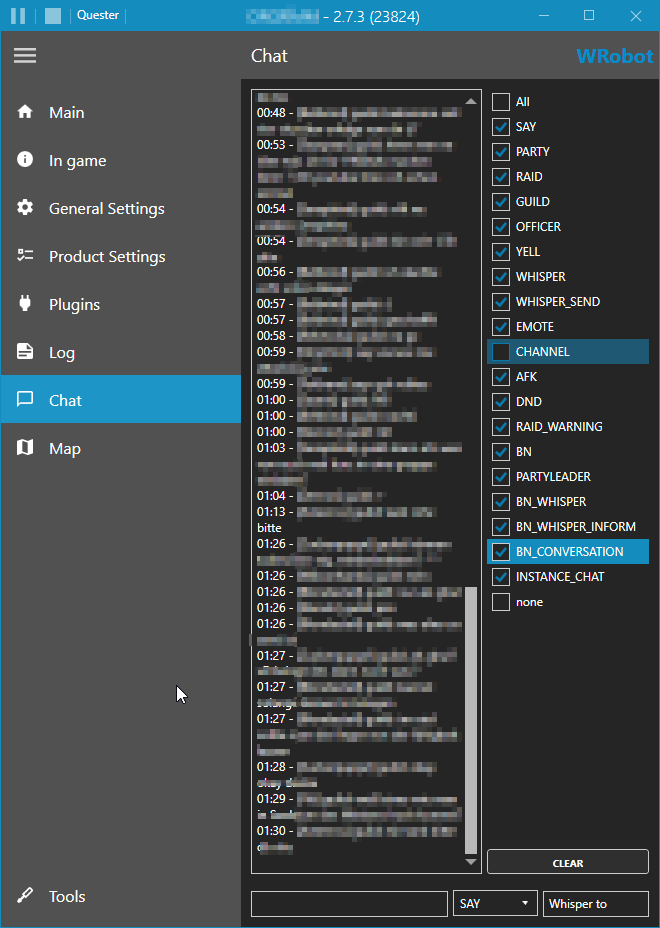
it is still running but i am unable to control it.
what lead up to the situation:
bot is running for many hours, at the beginning i set the checks like this because i use the addon carbonite together with others on this server (attatched below) which uses own hidden channels to comunicate players positions, archivements, etc with area/guild and friends, this normally not visible messages are filling up the chat screen of wrobot so i disable them
you may should check your string manipulation algo here, it seams to be very inefficient also two suggestions of improvements: first, remember what is checked and what not, secondly, channel messages are shown but not which channel they originate from. and third add option to filter on channel base and while at it, i think it would be a good idea to filter carbonite channels by default 😉
thanks in advance !
Recommended Comments
Create an account or sign in to comment