



Skip to content
View in the app

A better way to browse. Learn more.

WRobot

A full-screen app on your home screen with push notifications, badges and more.

To install this app on iOS and iPadOS
  1. Tap the Share icon in Safari
  2. Scroll the menu and tap Add to Home Screen.
  3. Tap Add in the top-right corner.
To install this app on Android
  1. Tap the 3-dot menu (⋮) in the top-right corner of the browser.
  2. Tap Add to Home screen or Install app.
  3. Confirm by tapping Install.

LV 3 is botting and it is not working anymore

  • Version: All
  • Product: Quester
  • Type: Bug
  • Status: Not a Bug

Stand still 15mins and bot is still running.
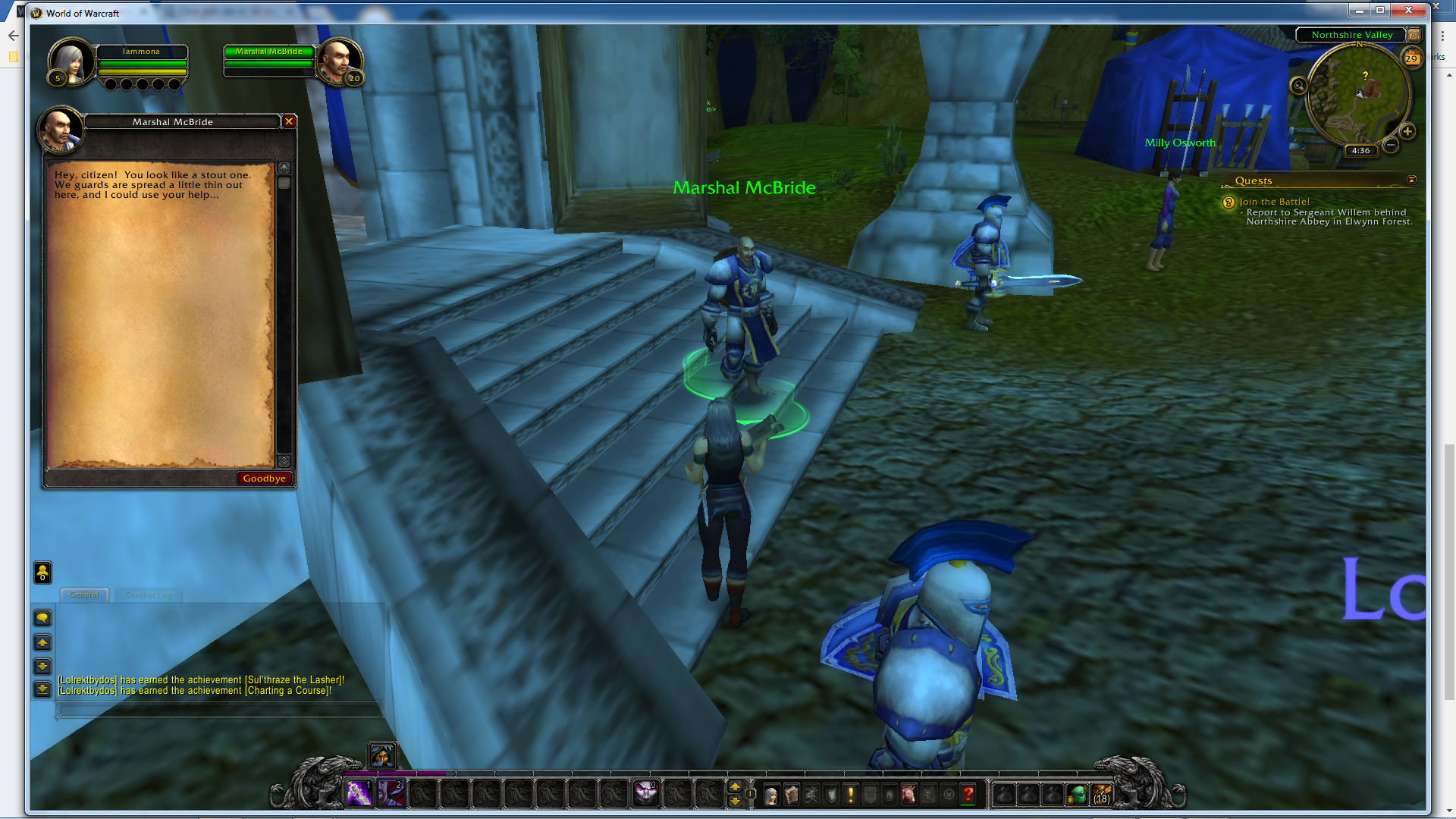
stand_still_and_bot_is_still_working.png

User Feedback

Recommended Comments

eeny

Elite user

profile? log? version of wow? version of wrobot?  Current bot state in game settings? last log in game settings?

This is literally a screenshot of wow- for all we know you arent even botting according to this picture.

hvdnghia3

Members

All new update, dude. I just play this game today.


NEWEST LOG

[N] 13:46:30 - [Path-Finding] FindPath from -8924.771 ; -136.1964 ; 81.16634 ; "None" to -8913.424 ; -137.5417 ; 80.80939 ; "None" (Azeroth)
[N] 13:46:30 - [Path-Finding] Path Count: 7 (22.952y)
[N] 13:46:34 - [Path-Finding] FindPath from -8917.055 ; -138.978 ; 81.32908 ; "None" to -8913 ; -137 ; 80 ; "None" (Azeroth)
[N] 13:46:34 - [Path-Finding] Path Count: 3 (7.066857y)
[N] 13:46:40 - [Path-Finding] FindPath from -8917.055 ; -138.978 ; 81.32908 ; "None" to -8913 ; -137 ; 80 ; "None" (Azeroth)
[N] 13:46:40 - [Path-Finding] Path Count: 3 (7.066857y)
13:46:46 - [Quester] Stopped
13:46:47 - Session statistics:
Elapsed time: 00h:00m:16s
XP/HR: 0 - 0 min
Kills: 0 (0/hr)
Deaths: 0 (0/hr)
Stucks: 0 (0/hr)
Farms: 0 (0/hr)
Loots: 0 (0/hr)
Money/HR: 0 G 00 S 00 C (0 G 00 S 00 C)
[F] 14:11:24 - [FightClass] Loading Fight class: D:\WRobot\FightClass\rogue.xml
14:11:25 - [Quester] Started
[N] 14:11:25 - [Path-Finding] FindPath from -9023.844 ; -312.6208 ; 74.0389 ; "None" to -8913 ; -137 ; 80 ; "None" (Azeroth)
[N] 14:11:25 - [Path-Finding] Path Count: 8 (211.6853y)
[N] 14:11:44 - [Path-Finding] FindPath from -8955.989 ; -197.5268 ; 77.83677 ; "None" to -8913.424 ; -137.5417 ; 80.81003 ; "None" (Azeroth)
[N] 14:11:44 - [Path-Finding] Path Count: 4 (76.28573y)
[N] 14:11:56 - [Path-Finding] FindPath from -8917.2 ; -138.6975 ; 81.08028 ; "None" to -8913 ; -137 ; 80 ; "None" (Azeroth)
[N] 14:11:56 - [Path-Finding] Path Count: 2 (4.657282y)
[N] 14:12:02 - [Path-Finding] FindPath from -8917.2 ; -138.6975 ; 81.08028 ; "None" to -8913 ; -137 ; 80 ; "None" (Azeroth)
[N] 14:12:02 - [Path-Finding] Path Count: 2 (4.657282y)
14:12:08 - [Quester] Stopped
14:12:09 - Session statistics:
Elapsed time: 00h:00m:44s
XP/HR: 0 - 0 min
Kills: 0 (0/hr)
Deaths: 0 (0/hr)
Stucks: 0 (0/hr)
Farms: 0 (0/hr)
Loots: 0 (0/hr)
Money/HR: 0 G 00 S 00 C (0 G 00 S 00 C)
[F] 14:18:46 - [FightClass] Loading Fight class: D:\WRobot\FightClass\rogue.xml
14:18:47 - [Quester] Started
[N] 14:18:47 - [Path-Finding] FindPath from -8952.945 ; -384.3578 ; 71.88913 ; "None" to -8913 ; -137 ; 80 ; "None" (Azeroth)
[N] 14:18:47 - [Path-Finding] Path Count: 9 (264.1431y)
14:18:48 - [Fight] Player attack before being attacked by Blackrock Invader (lvl 3)
14:18:49 - [Fight] Player attack before being attacked by Blackrock Invader (lvl 3)
[F] 14:18:51 - [Spell] Cast Sinister Strike (Sinister Strike)
[F] 14:18:51 - [Spell] Cast Sinister Strike (Sinister Strike)
[F] 14:18:52 - [Spell] Cast Sinister Strike (Sinister Strike)
[F] 14:18:52 - [Spell] Cast Sinister Strike (Sinister Strike)
[F] 14:18:52 - [Spell] Cast Sinister Strike (Sinister Strike)
[F] 14:18:53 - [Spell] Cast Sinister Strike (Sinister Strike)
[F] 14:18:55 - [Spell] Cast Sinister Strike (Sinister Strike)
14:18:59 - [Looting] Loot Blackrock Invader
[N] 14:19:02 - [Path-Finding] FindPath from -8945.278 ; -375.298 ; 72.10946 ; "None" to -8913 ; -137 ; 80 ; "None" (Azeroth)
[N] 14:19:02 - [Path-Finding] Path Count: 9 (257.6891y)
[N] 14:19:28 - [Path-Finding] FindPath from -8955.525 ; -198.0206 ; 77.88727 ; "None" to -8913.424 ; -137.5417 ; 80.81003 ; "None" (Azeroth)
[N] 14:19:28 - [Path-Finding] Path Count: 5 (76.54334y)
[N] 14:19:39 - [Path-Finding] FindPath from -8917.074 ; -138.5547 ; 80.82526 ; "None" to -8913 ; -137 ; 80 ; "None" (Azeroth)
[N] 14:19:39 - [Path-Finding] Path Count: 2 (4.438187y)
[N] 14:19:45 - [Path-Finding] FindPath from -8917.074 ; -138.5547 ; 80.82526 ; "None" to -8913 ; -137 ; 80 ; "None" (Azeroth)
[N] 14:19:45 - [Path-Finding] Path Count: 2 (4.438187y)
[N] 14:19:52 - [Path-Finding] FindPath from -8917.074 ; -138.5547 ; 80.82526 ; "None" to -8913 ; -137 ; 80 ; "None" (Azeroth)
[N] 14:19:52 - [Path-Finding] Path Count: 2 (4.438187y)
[N] 14:19:58 - [Path-Finding] FindPath from -8917.074 ; -138.5547 ; 80.82526 ; "None" to -8913 ; -137 ; 80 ; "None" (Azeroth)
[N] 14:19:58 - [Path-Finding] Path Count: 2 (4.438187y)
[N] 14:20:04 - [Path-Finding] FindPath from -8917.074 ; -138.5547 ; 80.82526 ; "None" to -8913 ; -137 ; 80 ; "None" (Azeroth)
[N] 14:20:04 - [Path-Finding] Path Count: 2 (4.438187y)
14:20:06 - [Logging]29 Apr 2017 13H20.log.html copied on your desktop.
[N] 14:20:11 - [Path-Finding] FindPath from -8917.074 ; -138.5547 ; 80.82526 ; "None" to -8913 ; -137 ; 80 ; "None" (Azeroth)
[N] 14:20:11 - [Path-Finding] Path Count: 2 (4.438187y)
[N] 14:20:17 - [Path-Finding] FindPath from -8917.074 ; -138.5547 ; 80.82526 ; "None" to -8913 ; -137 ; 80 ; "None" (Azeroth)
[N] 14:20:17 - [Path-Finding] Path Count: 2 (4.438187y)
[N] 14:20:23 - [Path-Finding] FindPath from -8917.074 ; -138.5547 ; 80.82526 ; "None" to -8913 ; -137 ; 80 ; "None" (Azeroth)
[N] 14:20:23 - [Path-Finding] Path Count: 2 (4.438187y)

hvdnghia3

Members

Any1 help me please....

Create an account or sign in to comment

Account

Navigation

Search

Search

Configure browser push notifications

Chrome (Android)
  1. Tap the lock icon next to the address bar.
  2. Tap Permissions → Notifications.
  3. Adjust your preference.
Chrome (Desktop)
  1. Click the padlock icon in the address bar.
  2. Select Site settings.
  3. Find Notifications and adjust your preference.