Skip to content
View in the app

A better way to browse. Learn more.

WRobot

A full-screen app on your home screen with push notifications, badges and more.

To install this app on iOS and iPadOS
  1. Tap the Share icon in Safari
  2. Scroll the menu and tap Add to Home Screen.
  3. Tap Add in the top-right corner.
To install this app on Android
  1. Tap the 3-dot menu (⋮) in the top-right corner of the browser.
  2. Tap Add to Home screen or Install app.
  3. Confirm by tapping Install.

Relogger crash at logging in

  • Version: All
  • Product: Relogger
  • Type: Bug
  • Status: Not a Bug

Hey,

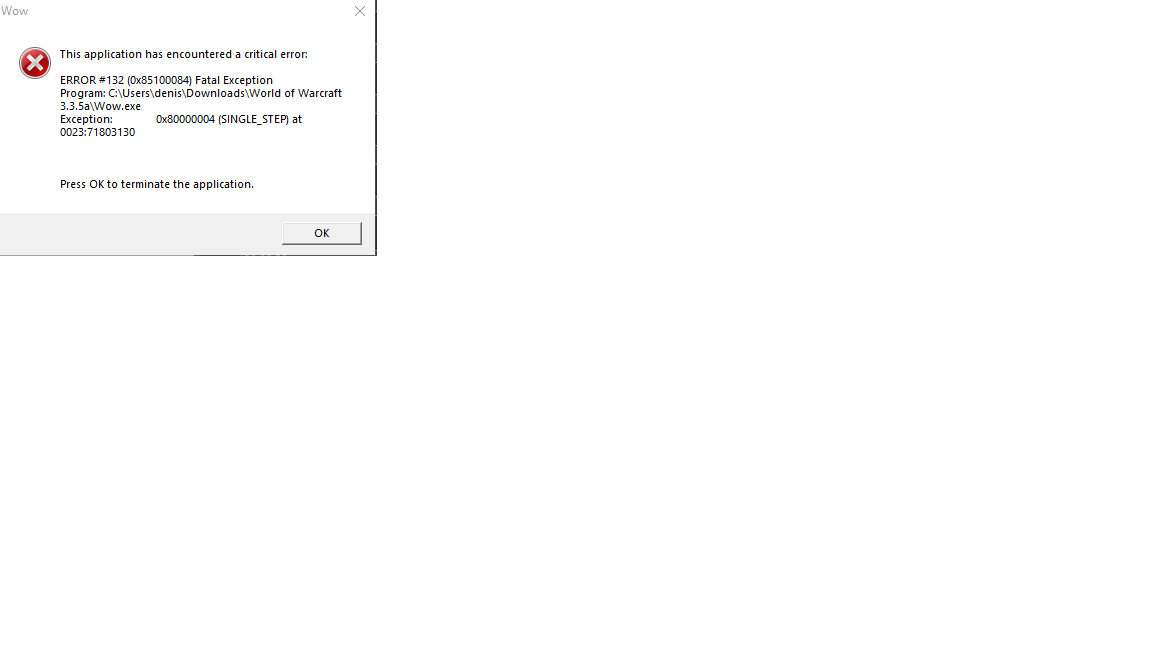
I have the problem the relogger crashes instantly in the login process, hes rezising the WoW Window, after that he crashes.

Client: 3.3.5


User Feedback

Recommended Comments

Dreamful

Members

Damn, i am so sorry, i didnt had the .NET 4.8 Framework. Its now working now.
Thank you Droidz!

Create an account or sign in to comment

Account

Navigation

Search

Search

Configure browser push notifications

Chrome (Android)
  1. Tap the lock icon next to the address bar.
  2. Tap Permissions → Notifications.
  3. Adjust your preference.
Chrome (Desktop)
  1. Click the padlock icon in the address bar.
  2. Select Site settings.
  3. Find Notifications and adjust your preference.