




- Version: All
- Product: WRobot General
- Type: Bug
- Status: Fixed
Dear Community,
While playing with the bot, I could see at multiple locations some links to download profiles and other files from the bot directly. Nevertheless, each time I choose to display the description or to download the asset, I get an error page.
This is worth mentioning that I'm able to then search with the exact name of the asset using the search engine of the forum to find the related asset. It seems that the name of the asset is missing from the generated url from the bot.
Here is a quick example:
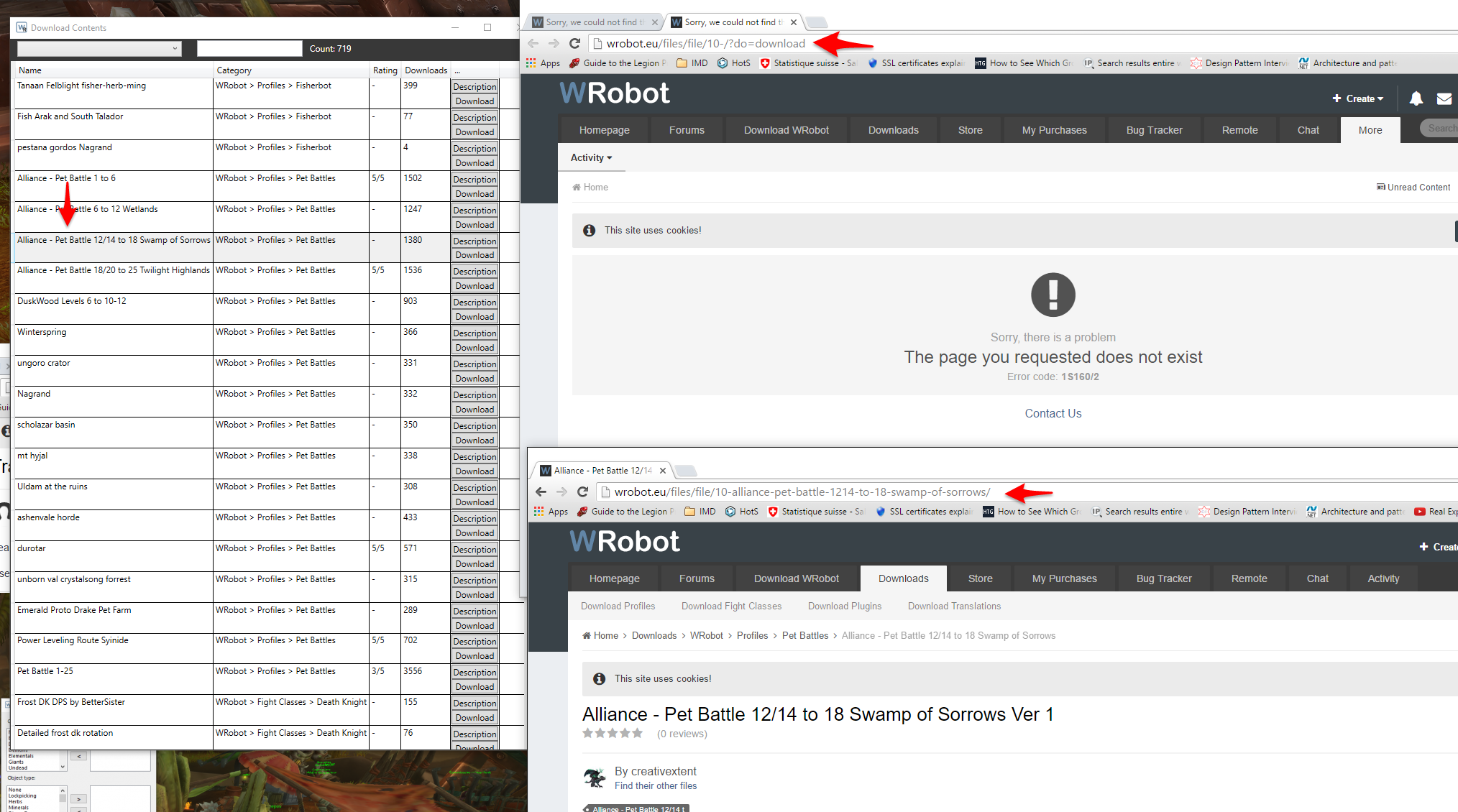
I've selected Alliance - Pet Battle.... When I press download, the webpage at the top is opening with the error message (I have an active subscription). If I search for this asset with its name manually, I'm able to locate it, this is the webpage at the bottom.
When we compare the url, it seems the one generated by the bot is missing the name of the asset, after its identifier.
Thanks !
Cheers
Recommended Comments
Create an account or sign in to comment