Skip to content
View in the app

A better way to browse. Learn more.

WRobot

A full-screen app on your home screen with push notifications, badges and more.

To install this app on iOS and iPadOS
  1. Tap the Share icon in Safari
  2. Scroll the menu and tap Add to Home Screen.
  3. Tap Add in the top-right corner.
To install this app on Android
  1. Tap the 3-dot menu (⋮) in the top-right corner of the browser.
  2. Tap Add to Home screen or Install app.
  3. Confirm by tapping Install.

Wow Addons - Cata

3 files

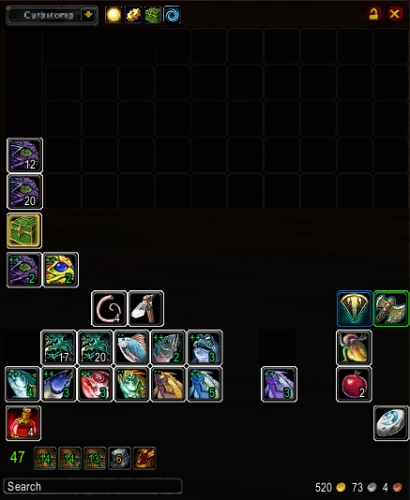
  1. TBag is a WoW Addon that provides an alternative bag and bank interface.
     
    I modified accessing the menu from the standard Right-Click interaction, to Shift + Right-Click.
    It got on my nerves when I clicked just outside the bag slot(s), and the menu would pop-up while
    vendoring quickly.
    TBag_Modded.rar
    • 7 Downloads
    Updated
  2. The TopFit addon for Cata 4.3 that I modified to allow auto-equipping better Bind on Equip items.
    Instructions:
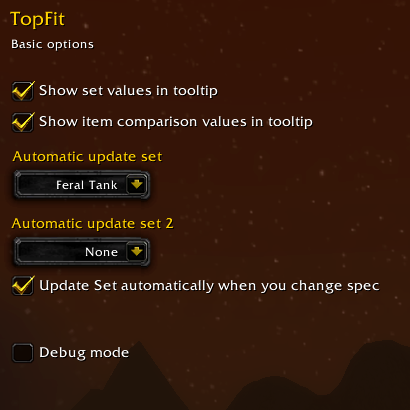
    Hit, "C" key to bring up your character panel. In the panel you should see a drop-down box above your character's head. Select your desired build. Close the character panel. Hit "Escape" key and bring up your Interface panel. Select the "AddOns" tab at the top. Click "TopFit" from the left panel list of addons. Check both, "Show set values in tooltip" and "Show item comparison values in tooltip". Then in the "Automatic update set" drop-down box, select your desired build. Close the Interface panel. I suggest re-logging to save your addon data.

    • 84 Downloads
    • 2 Comments
    Updated
  3. TopFit 
    (for Cata)
    Auto equip the best equipment.
    More info here: http://www.curse.com/addons/wow/topfit
     
    How to configure to "auto equip":
     
     
    • 172 Downloads
    Updated

Account

Navigation

Search

Search

Configure browser push notifications

Chrome (Android)
  1. Tap the lock icon next to the address bar.
  2. Tap Permissions → Notifications.
  3. Adjust your preference.
Chrome (Desktop)
  1. Click the padlock icon in the address bar.
  2. Select Site settings.
  3. Find Notifications and adjust your preference.