



Skip to content
View in the app

A better way to browse. Learn more.

WRobot

A full-screen app on your home screen with push notifications, badges and more.

To install this app on iOS and iPadOS
  1. Tap the Share icon in Safari
  2. Scroll the menu and tap Add to Home Screen.
  3. Tap Add in the top-right corner.
To install this app on Android
  1. Tap the 3-dot menu (⋮) in the top-right corner of the browser.
  2. Tap Add to Home screen or Install app.
  3. Confirm by tapping Install.

GameAlerts - By sound or mobile- Alerts on say/whisper/death/level/pause/... 1.0.0

(0 reviews)

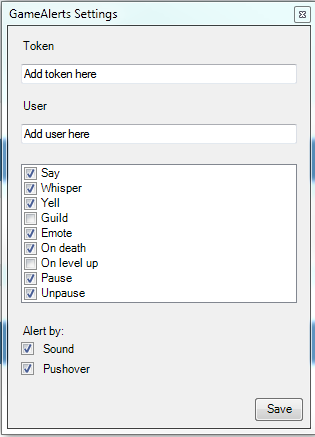
1 Screenshot

GameAlerts

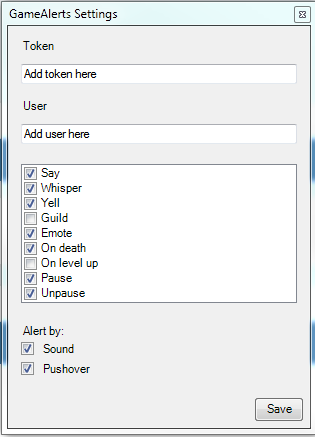
gaSS.PNG.9f2cefa6deed07730aacd4ed22746fdc.PNG

Allows you to get alerts by either sound or by setting up Pushover and getting notifications on your phone.

The current notification events are

  • Say
  • Whisper
  • Yell
  • Guild
  • Emote
  • On death
  • On level up
  • Bot pause
  • Bot resume

There are two files, one for vanilla and one for retail. Those are the only two I have tested but it might work on the others aswell.

I have added the event but I'm open for suggestion so please comment if you find something wrong or missing.

 

User Feedback

You may only provide a review once you have downloaded the file.

There are no reviews to display.

Account

Navigation

Search

Search

Configure browser push notifications

Chrome (Android)
  1. Tap the lock icon next to the address bar.
  2. Tap Permissions → Notifications.
  3. Adjust your preference.
Chrome (Desktop)
  1. Click the padlock icon in the address bar.
  2. Select Site settings.
  3. Find Notifications and adjust your preference.