



Skip to content
View in the app

A better way to browse. Learn more.

WRobot

A full-screen app on your home screen with push notifications, badges and more.

To install this app on iOS and iPadOS
  1. Tap the Share icon in Safari
  2. Scroll the menu and tap Add to Home Screen.
  3. Tap Add in the top-right corner.
To install this app on Android
  1. Tap the 3-dot menu (⋮) in the top-right corner of the browser.
  2. Tap Add to Home screen or Install app.
  3. Confirm by tapping Install.

Auto Delete / Open 1.0.0

(0 reviews)

1 Screenshot

Auto Delete/Open

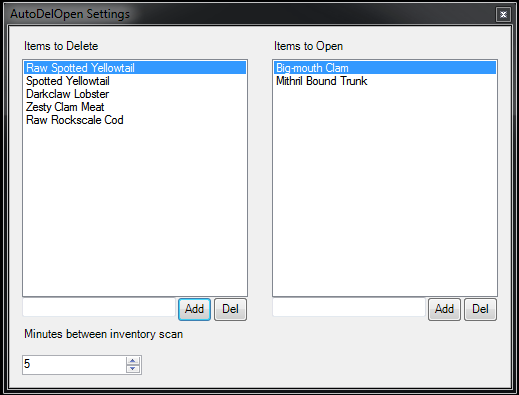
Lets you add items that you want to open or delete from your inventory. Scans the players inventory every 1-60 minutes and removes or opens items found in the lists.
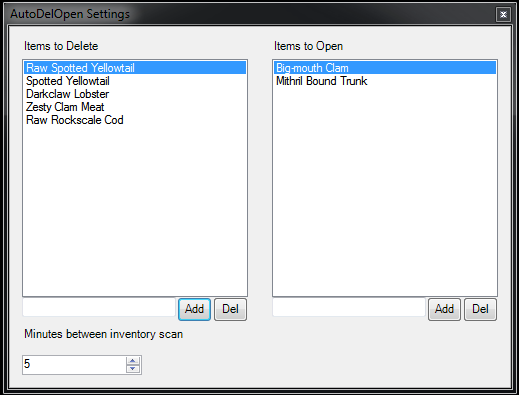
autoDelOpenSS.PNG.585f82c32185662a18cd403e682e56e6.PNG

There are two files, one for vanilla and one for retail. Those are the only two I have tested but it might work on the others aswell.

I'm open for suggestion so please comment if you find something wrong or missing.


What's New in Version 1.0.0

Released

No changelog available for this version.

User Feedback

Recommended Comments

payyn518

Members

Vanilla is working great. Where are the settings kept for each character? 

gurete

Members

Retail is working very well too.


The Delete part has issues with certain items; it might be those that normally require a confirmation before deleting, Blue-quality items.

gurete

Members

EDIT: @nauper Seems to have issues with the latest Wrobot updates. Does not compile properly, crashes Wrobot. Deleting the dll and the folder makes the bot work again, so it's something related!

Account

Navigation

Search

Search

Configure browser push notifications

Chrome (Android)
  1. Tap the lock icon next to the address bar.
  2. Tap Permissions → Notifications.
  3. Adjust your preference.
Chrome (Desktop)
  1. Click the padlock icon in the address bar.
  2. Select Site settings.
  3. Find Notifications and adjust your preference.
