Skip to content
View in the app

A better way to browse. Learn more.

WRobot

A full-screen app on your home screen with push notifications, badges and more.

To install this app on iOS and iPadOS
  1. Tap the Share icon in Safari
  2. Scroll the menu and tap Add to Home Screen.
  3. Tap Add in the top-right corner.
To install this app on Android
  1. Tap the 3-dot menu (⋮) in the top-right corner of the browser.
  2. Tap Add to Home screen or Install app.
  3. Confirm by tapping Install.

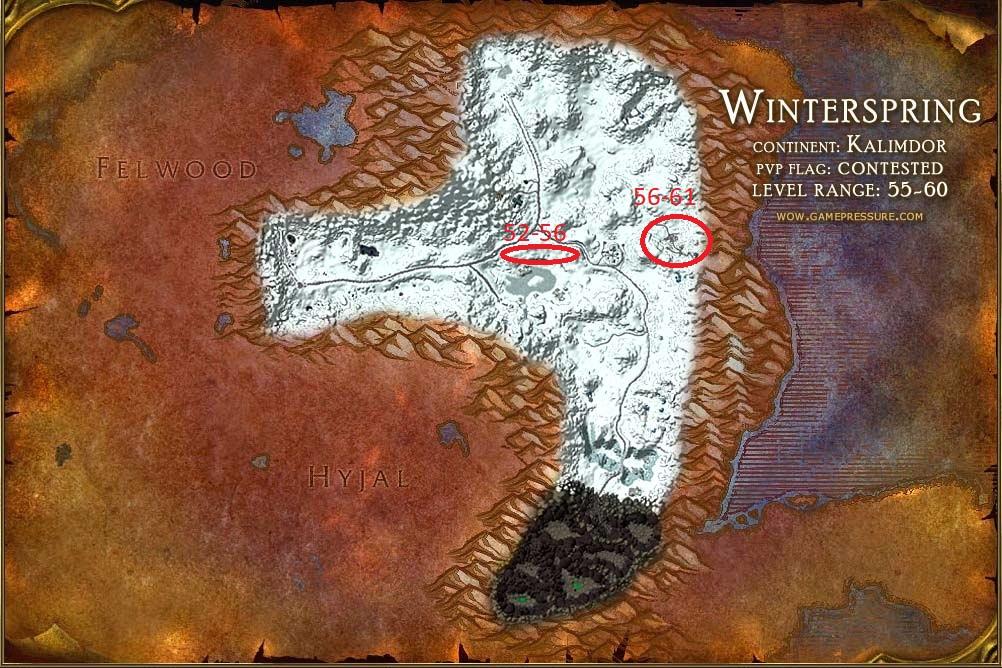
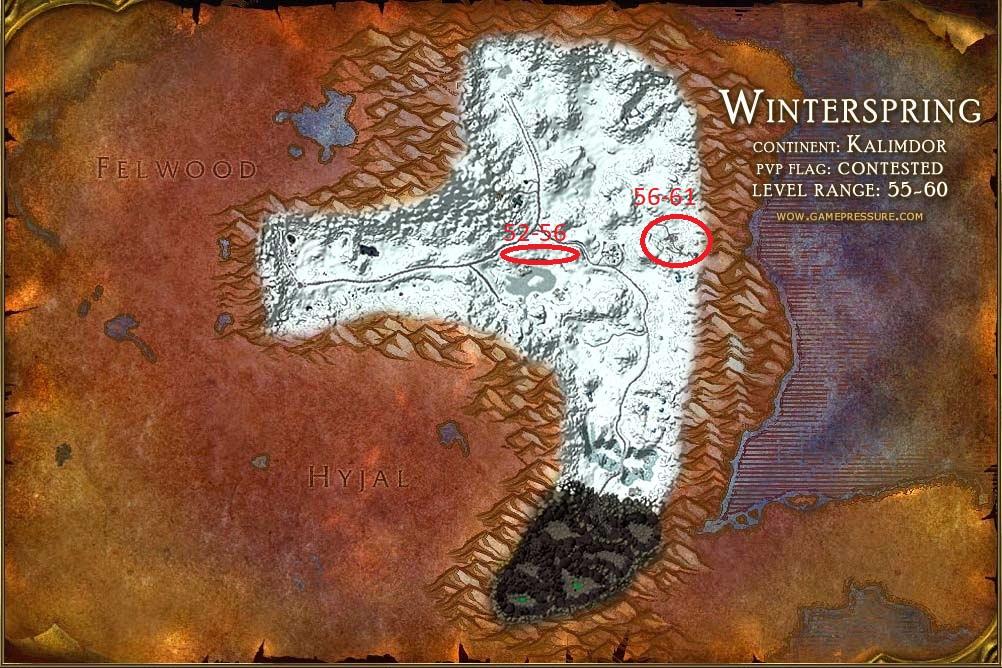
[N] Winterspring 52-61 on 5x Endless.gg 1

(0 reviews)

1 Screenshot

Grinds around these 2 location & neutral vendor at Everlook, enjoy!
Recommend to start this at level 53, but is possible to do as level 52

Discord for support :
https://discord.gg/SzKcgph
winterpsring.jpg

User Feedback

Recommended Comments

kiko

Members

2 hours ago, andyroo said:

bait

What's wrong buddy :)?

kiko

Members

14 minutes ago, retrostalgic said:

damn guess i need a new spot ?

Hehe I'm sorry if I hit one of your spots, luckily Winterspring is a huge zone ?

vodkalol

Members

Thanks for sharing.


Your the best ?

Create an account or sign in to comment

Account

Navigation

Search

Search

Configure browser push notifications

Chrome (Android)
  1. Tap the lock icon next to the address bar.
  2. Tap Permissions → Notifications.
  3. Adjust your preference.
Chrome (Desktop)
  1. Click the padlock icon in the address bar.
  2. Select Site settings.
  3. Find Notifications and adjust your preference.