Grinder - TBC
14 files
-
JOIN OUR DISCORD HERE: https://discord.gg/UEahd68
Hey Friends!
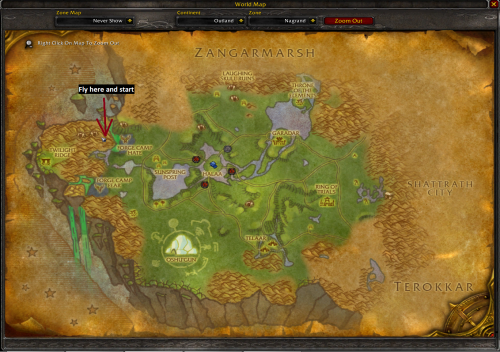
I've used this private (created by me) Profile for a while now. Its a spot near Shattrath
and works fast and awesome till Level 68. Level 70 is supported but from 68-70 it gets a bit slower
due to high outleveling of the Enemies.
The Profile Includes:
- Safe Route from 62 till 68(70)
- Repair NPC
- Vendor to sell Crap
One IMPORTANT thing:
Always active "Blacklist Zones where I died" in WRobot because there is one Spot where you character
can possibly die. Especially if you are a Warrior or Rogue. By activating that, the Profile is nearly death proof.
Grinding Zone:
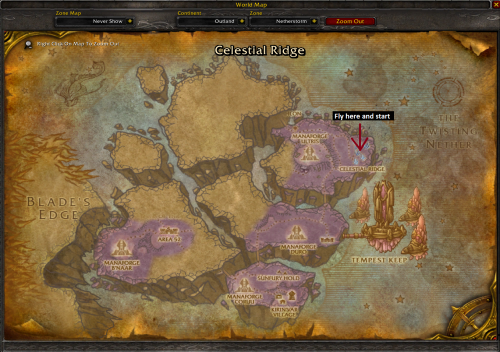
Watch the Attachment, there is a Screenshot where the Profile is botting.
Wish you a lot of fun with this Profile!
~ Marvelino123 ❤️
- 635 Downloads
- 7 Comments
Updated -
I got from honored to exalted in just 1 1/2 nights of farming. Combine this with skinning make this a awesome gold farm
- 418 Downloads
Submitted -
I used this to grind 65-67 with my Fury Warrior and got honored easily.
- 299 Downloads
Submitted -
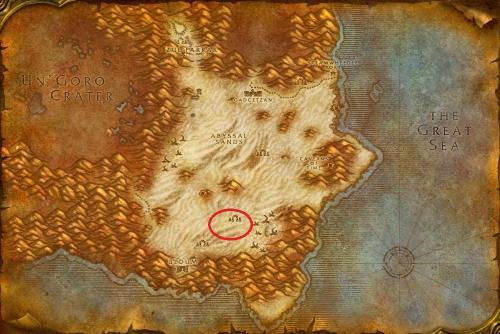
Grinds around this location, with little to no players around & neutral vendor at Gadgetzan, enjoy!
Discord for support :
https://discord.gg/SzKcgph
- 240 Downloads
Updated -
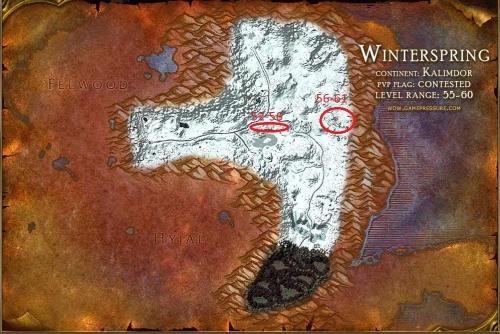
Grinds around these 2 location & neutral vendor at Everlook, enjoy!
Recommend to start this at level 53, but is possible to do as level 52
Discord for support :
https://discord.gg/SzKcgph
- 274 Downloads
- 6 Comments
Updated -
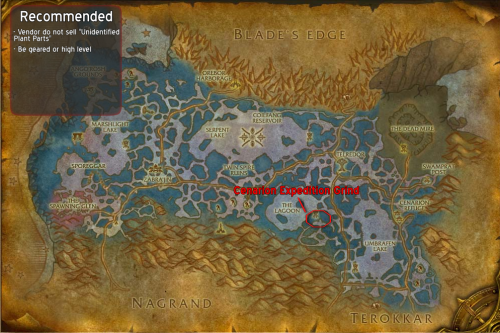
The profile farms Unidentified Plant Parts for reputation quests (up until honored) The mobs will also give +rep until you reach friendly.
The profile includes :
Vendor / Repair
Mailbox
Discord for support :
https://discord.gg/SzKcgph- 322 Downloads
- 4 Comments
Updated -
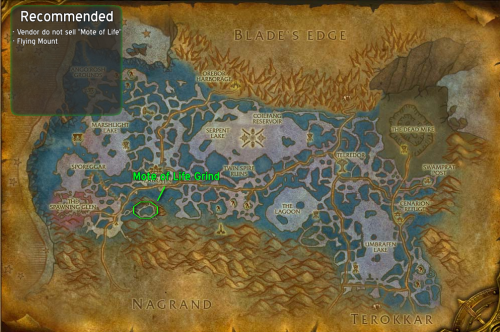
Enjoy ?
The profile includes:
Vendor / Repair
Mailbox
Discord for support :
https://discord.gg/SzKcgph- 380 Downloads
- 2 Comments
Updated -
Simple grinder 37-43, if you turn on to collect ore, then a good farm of iron and silver.
Tested 2.4.3
Upd. test.
Added seller, only for sale (food \ water, it is desirable to buy separately in another place, if required), on the way to him so there is some iron.- 141 Downloads
Updated -
This profile is originally made for Vanilla WoW, but can work for the Wrath of the Lich King client.
- 5267 Downloads
- 11 Comments
Submitted -
Nether Scale farmer
It will grind nether dragons for Nether Scales.
- 452 Downloads
Submitted -
Cobra Scale farmer
It will grind Serpents for Cobra Scales.
- 473 Downloads
- 8 Comments
Submitted -
A quick skinning profile I put together. Eventually I will have more zones as I level it. Let me know any issues, and enjoy.
- 211 Downloads
Submitted -
This is my Hinterlands Grinding profile I used,
I was a hunter so you might want to change the levels he attacks in the profile editor
Enjoy :)
Leave review if you like it
Donations:
paypal.me/TBCPROFILESLOL- 385 Downloads
Updated -
Hey, used this one for a while.
Enjoy, can always change the levels he attacks in profile creator if doubting :)
Leave feedback if you liked it :)
Donate link: paypal.me/TBCPROFILESLOL- 232 Downloads
Updated