



Skip to content
View in the app

A better way to browse. Learn more.

WRobot

A full-screen app on your home screen with push notifications, badges and more.

To install this app on iOS and iPadOS
  1. Tap the Share icon in Safari
  2. Scroll the menu and tap Add to Home Screen.
  3. Tap Add in the top-right corner.
To install this app on Android
  1. Tap the 3-dot menu (⋮) in the top-right corner of the browser.
  2. Tap Add to Home screen or Install app.
  3. Confirm by tapping Install.

Uldum Leveling 82-85 1.0

(3 reviews)

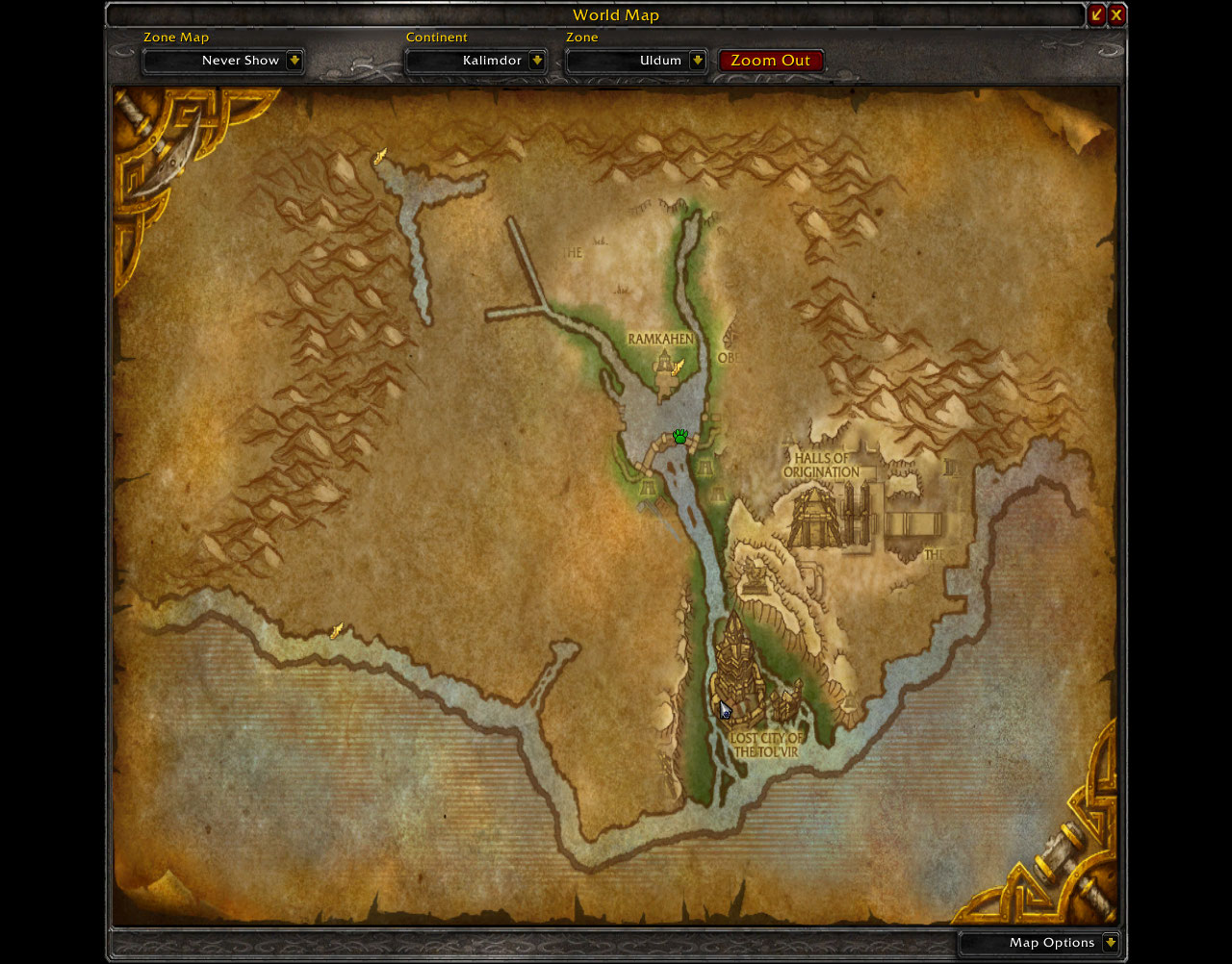
1 Screenshot

Another small leveling profile. This one has no vendor/repair but I can put one in if you need one. I have not seen it getting stuck anywhere but you might die a lot as this is where the first quest is when you enter uldum so a lot of people will attack you. Also I would only go here at 82 if have a pet or can take some damage as there are a few elites that hit a bit hard.

Getting about 600K xp an hour on this one with quite a few deaths in there from hordes. I presume if your on a low pop realm you can run this with no people killing you and average higher XP per hour. Not as great for loot but there are a lot of grey drops and a few greens. Other than that you get a few stacks of cloth and about 20-30s per mob.

Please leave feedback!

User Feedback

Recommended Comments

Warl0ckz

Members

Well it's under Grinder so I would guess people would be able to figure it out.

gildanw

Members

Very nice, currently running it and gaining nice xp with no deaths. Thank you for shareing.

Palmer

Members

This seems OK - runs in a circle but does the trick. Not sure how you are getting 600k/hr? I'm getting like 110k-120k max. at 84 (fire mage) - 1 shotting everything virtually.

blackeye

Members

nice profile. but could be dangerous if youre poorly geared. I used it for my 83 dk in green gear. kept dying in the beginning but managed to hit 85 over a night

Account

Navigation

Search

Search

Configure browser push notifications

Chrome (Android)
  1. Tap the lock icon next to the address bar.
  2. Tap Permissions → Notifications.
  3. Adjust your preference.
Chrome (Desktop)
  1. Click the padlock icon in the address bar.
  2. Select Site settings.
  3. Find Notifications and adjust your preference.