



Skip to content
View in the app

A better way to browse. Learn more.

WRobot

A full-screen app on your home screen with push notifications, badges and more.

To install this app on iOS and iPadOS
  1. Tap the Share icon in Safari
  2. Scroll the menu and tap Add to Home Screen.
  3. Tap Add in the top-right corner.
To install this app on Android
  1. Tap the 3-dot menu (⋮) in the top-right corner of the browser.
  2. Tap Add to Home screen or Install app.
  3. Confirm by tapping Install.

Español (castellano) spanish 4.0 Draenor

(0 reviews)

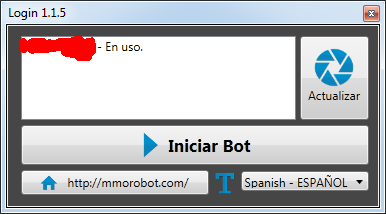
1 Screenshot

Traduccion completa al Castellano,(España), la iré modificando según salgan más cosas. Espero que les sea de ayuda

Editada 3 veces.

No os olvideis de ponerla en Wrobot/Data/Lang/(translate.xml)

What's New in Version 3.0 Draenor

Released

  • Traducción al español completa

MODIFICADA PARA LA NUEVA VERSION 10/05/2016

sin tildes para evitar errores, podeis perfeccionarla y resubirlo si quereis

User Feedback

You may only provide a review once you have downloaded the file.

There are no reviews to display.

Account

Navigation

Search

Search

Configure browser push notifications

Chrome (Android)
  1. Tap the lock icon next to the address bar.
  2. Tap Permissions → Notifications.
  3. Adjust your preference.
Chrome (Desktop)
  1. Click the padlock icon in the address bar.
  2. Select Site settings.
  3. Find Notifications and adjust your preference.