




Skip to content
View in the app

A better way to browse. Learn more.

WRobot

A full-screen app on your home screen with push notifications, badges and more.
To install this app on iOS and iPadOS
  1. Tap the Share icon in Safari
  2. Scroll the menu and tap Add to Home Screen.
  3. Tap Add in the top-right corner.
To install this app on Android
  1. Tap the 3-dot menu (⋮) in the top-right corner of the browser.
  2. Tap Add to Home screen or Install app.
  3. Confirm by tapping Install.

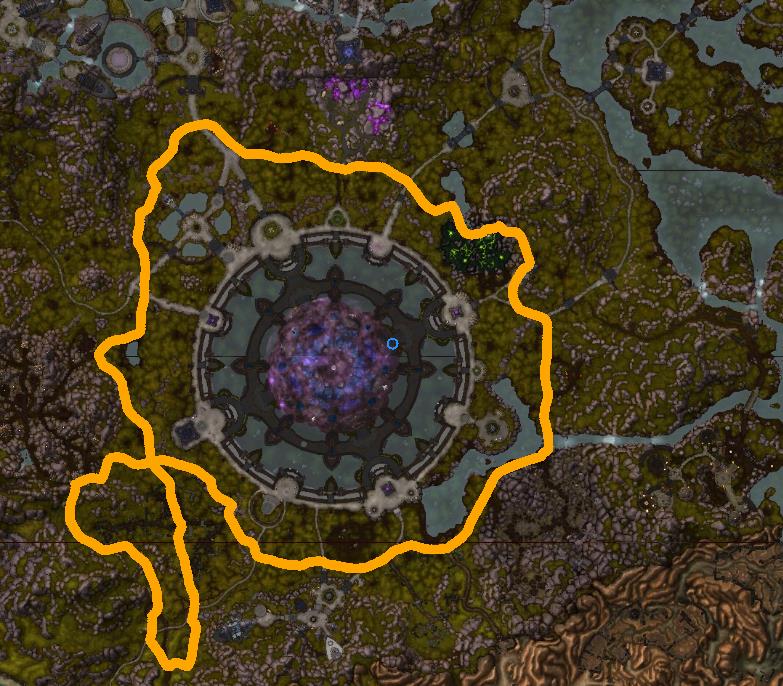
95-97 Talador (Alliance)

(0 reviews)

1 Screenshot

User Feedback

Recommended Comments

jonnyboy899

Members

This works fairly well, it randomly stops every now and then, and it runs you into a massive group of demonic people which almost instantly kill you

pattiepiies

Members

where do i put the file is it is grinder ? 

If i had the TIME i would only move the pathing further back away from the Demonic area as my toons always get owned here by mobs overpowering them through sheer numbers.

Hey Droidz any chance of a tweaked version?
 

Nice work overall mate  : D

Account

Navigation

Search

Search

Configure browser push notifications

Chrome (Android)
  1. Tap the lock icon next to the address bar.
  2. Tap Permissions → Notifications.
  3. Adjust your preference.
Chrome (Desktop)
  1. Click the padlock icon in the address bar.
  2. Select Site settings.
  3. Find Notifications and adjust your preference.