
Skip to content
View in the app

A better way to browse. Learn more.

WRobot

A full-screen app on your home screen with push notifications, badges and more.

To install this app on iOS and iPadOS
  1. Tap the Share icon in Safari
  2. Scroll the menu and tap Add to Home Screen.
  3. Tap Add in the top-right corner.
To install this app on Android
  1. Tap the 3-dot menu (⋮) in the top-right corner of the browser.
  2. Tap Add to Home screen or Install app.
  3. Confirm by tapping Install.

Mirththelaughingman

Members
  • Joined

  • Last visited

  1. Thx Droidz will give it a go
  2. Can this be tweaked to use the older Loot-a-rang?
  3. If i had the TIME i would only move the pathing further back away from the Demonic area as my toons always get owned here by mobs overpowering them through sheer numbers. Hey Droidz any chance of a tweaked version? Nice work overall mate : D
  4. Mirththelaughingman changed their profile photo
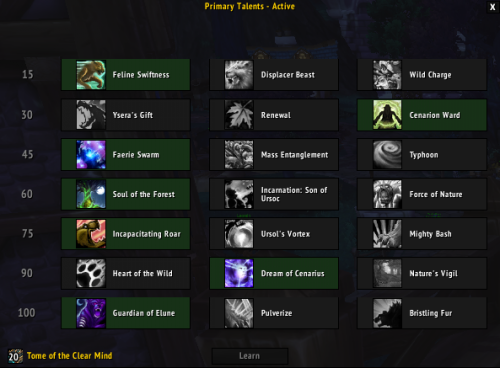
  5. Trialed V1 of this F/C and was only annoyed by the Druid dropping out of bear form to heal itself.......and getting killed. The guys have fixed that issue nicely, would HIGHLY recommend for Lvl 100 AND leveling Druids alike.

Account

Navigation

Search

Search

Configure browser push notifications

Chrome (Android)
  1. Tap the lock icon next to the address bar.
  2. Tap Permissions → Notifications.
  3. Adjust your preference.
Chrome (Desktop)
  1. Click the padlock icon in the address bar.
  2. Select Site settings.
  3. Find Notifications and adjust your preference.