




Skip to content
View in the app

A better way to browse. Learn more.

WRobot

A full-screen app on your home screen with push notifications, badges and more.
To install this app on iOS and iPadOS
  1. Tap the Share icon in Safari
  2. Scroll the menu and tap Add to Home Screen.
  3. Tap Add in the top-right corner.
To install this app on Android
  1. Tap the 3-dot menu (⋮) in the top-right corner of the browser.
  2. Tap Add to Home screen or Install app.
  3. Confirm by tapping Install.

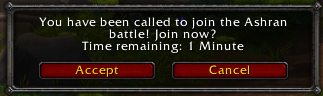
Auto Accept (Wow Popup window)

(1 review)

1 Screenshot

User Feedback

Recommended Comments

Darkscarletz

Members

Where do you put this file and how does it interact with being able to play in ashran ? Do you use it with another profile like the other you posted droidz ?

Lulu

Members

Log: Custom profile Loading error.

:(

da8ball

Elite user

Not working for the new Ashran, can you take a look, Droidz?

atep

Members

Could you update it, so it fits to both of the World Quest Group Finder and World Quest Assistant Addons?


greets

Spankfication

Members

It doesnt work with me running it on my private server

Account

Navigation

Search

Search

Configure browser push notifications

Chrome (Android)
  1. Tap the lock icon next to the address bar.
  2. Tap Permissions → Notifications.
  3. Adjust your preference.
Chrome (Desktop)
  1. Click the padlock icon in the address bar.
  2. Select Site settings.
  3. Find Notifications and adjust your preference.
