Skip to content
View in the app

A better way to browse. Learn more.

WRobot

A full-screen app on your home screen with push notifications, badges and more.

To install this app on iOS and iPadOS
  1. Tap the Share icon in Safari
  2. Scroll the menu and tap Add to Home Screen.
  3. Tap Add in the top-right corner.
To install this app on Android
  1. Tap the 3-dot menu (⋮) in the top-right corner of the browser.
  2. Tap Add to Home screen or Install app.
  3. Confirm by tapping Install.

Garrison base LVL3 HORDE, village Farm 1.0

(2 reviews)

1 Screenshot

THIS PROFILE IS WALKING MOUNT (MORE PEOPLE WILL CAN USE IT)

here a profile to farm your garrison base for horde! 

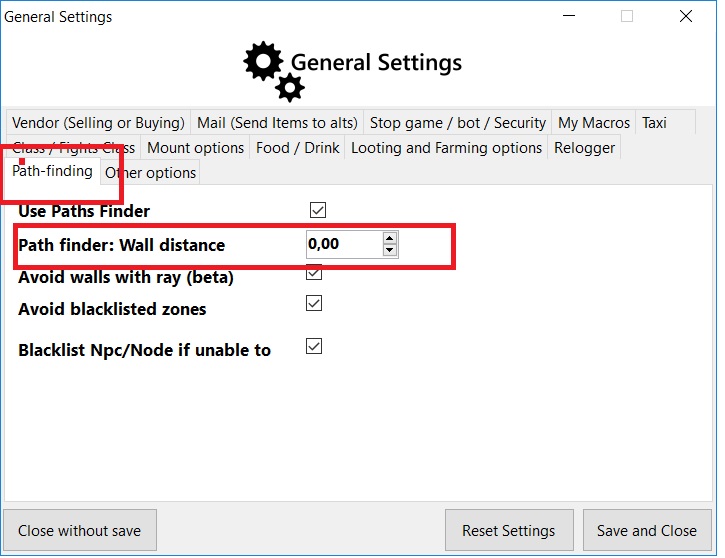
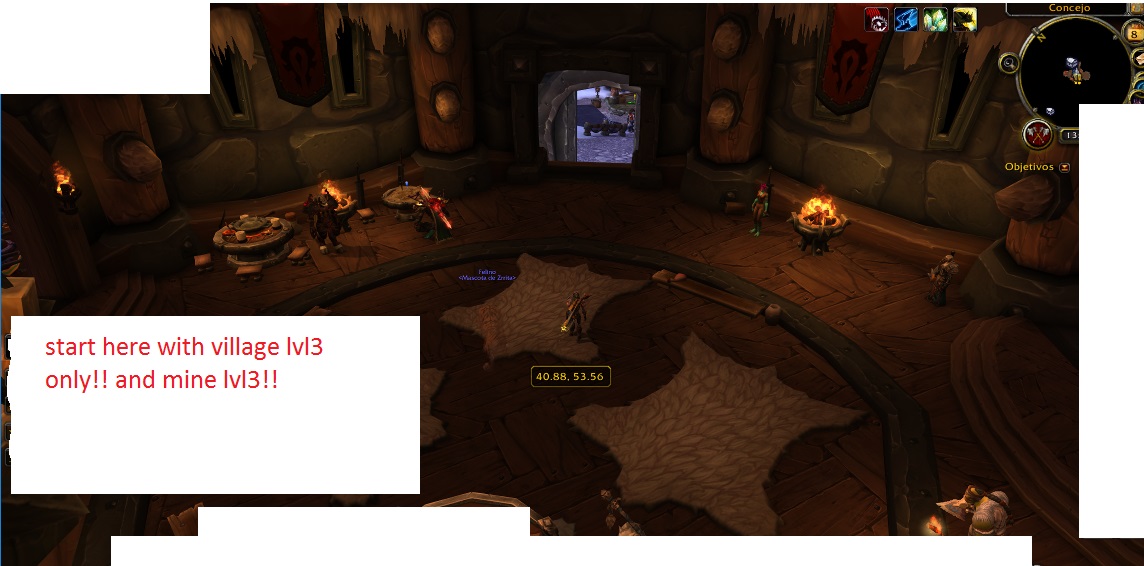
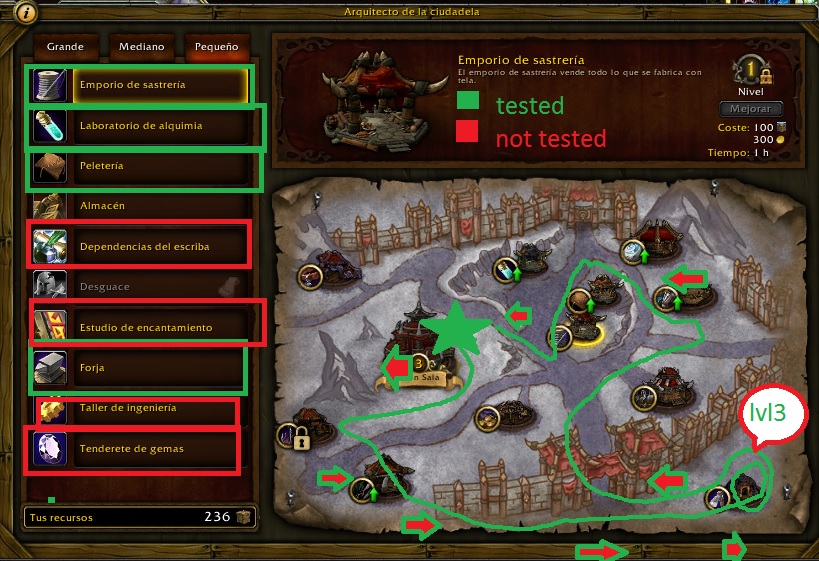
Start from base, take your shipments(look screenshot),  herbs and mine, after that go back to base 

see the pictures to more detaills.

now working. not completed

COMENT! AND LIKE IT!
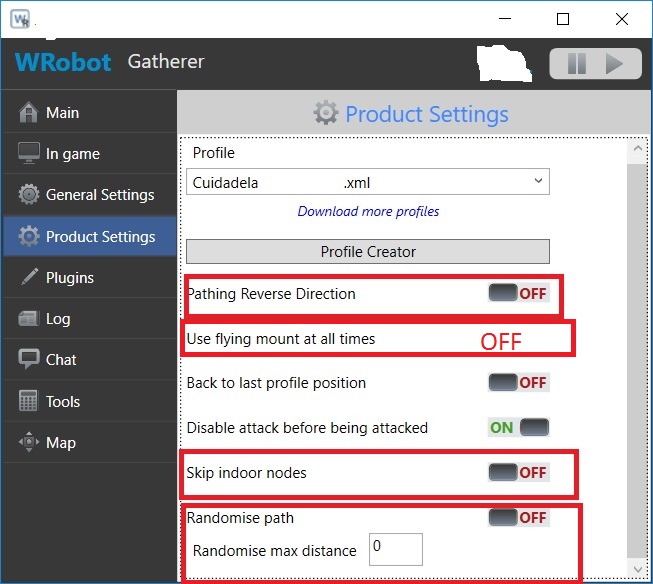
config 1.jpg

config.jpg

config2.jpg

inicio.jpg

plan.jpg

What's New in Version 1.0

Released

THIS PROFILE IS WALKING MOUNT (MORE PEOPLE WILL CAN USE IT)

here a profile to farm your garrison base for horde! 

Start from base, take your shipments(look screenshot),  herbs and mine, after that go back to base 

see the pictures to more detaills.

now working. not completed

COMENT! AND LIKE IT!
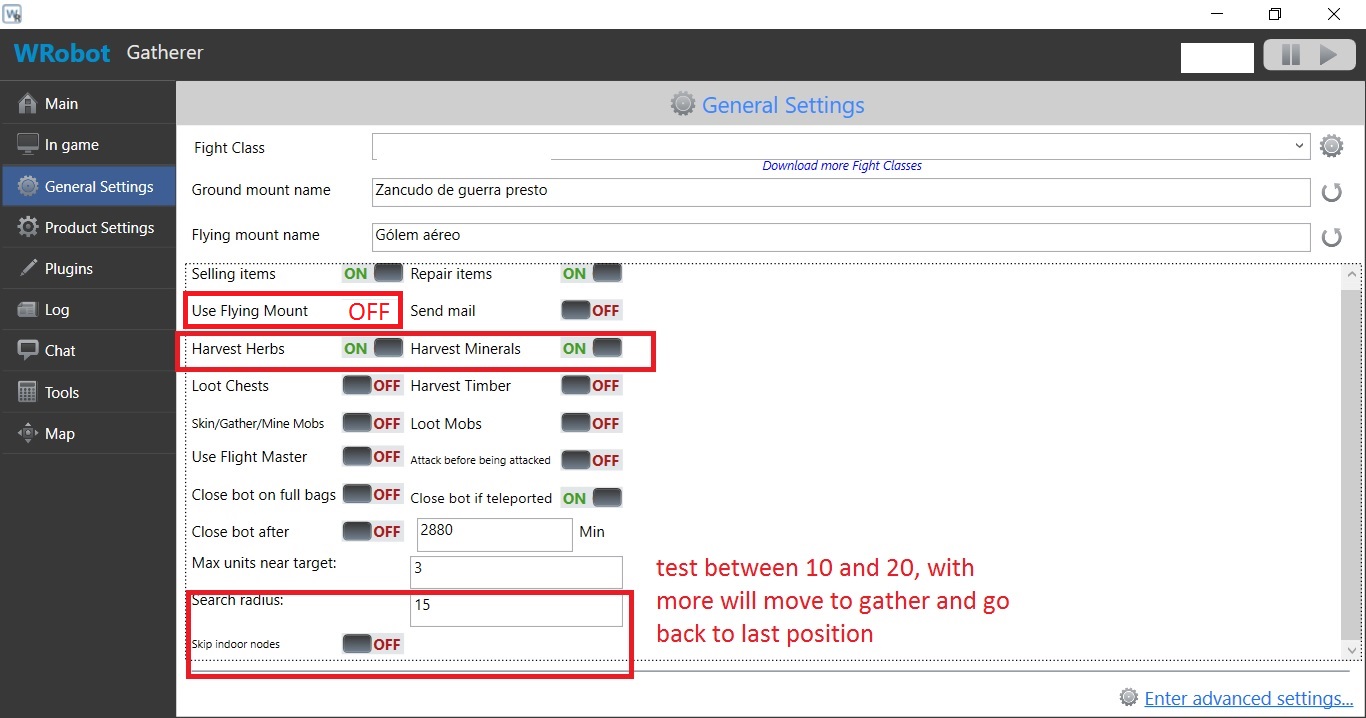
config 1.jpg

config.jpg

config2.jpg

inicio.jpg

plan.jpg

User Feedback

You may only provide a review once you have downloaded the file.


awesome


working with the setting of the pictures. COMENT!

Account

Navigation

Search

Search

Configure browser push notifications

Chrome (Android)
  1. Tap the lock icon next to the address bar.
  2. Tap Permissions → Notifications.
  3. Adjust your preference.
Chrome (Desktop)
  1. Click the padlock icon in the address bar.
  2. Select Site settings.
  3. Find Notifications and adjust your preference.