




Droidz
Administrators
-
Joined
-
Last visited
Everything posted by Droidz
-
Hello, Fixed in new version.
-
This map tile does not exist, this is not a bug (it doesn't affect wrobot).
-
Hello, thanks, problem fixed you need to update WRobot again.
-
Hello community, WRobot 1.1.0 is now available! A lot of change, you can read changelog here. (If you have problem with new version go )
-
Hello, Reports here all hot bugs appear with WRobot 1.1.0 (for others bugs/suggestion please use bug tracker). (Don't forget to share your log)
-
Hello community, WRobot 1.1.0 is now available! A lot of change, you can read changelog here. (If you have problem with new version go )
-
Hello, For remove blacklist close wrobot, remove file "Data\BlackList.xml" and don't forget to edit your profile (zones can be blacklisted in it). With next version () I have made easy acces at the blacklist (in tools tab on main window) and you can view blacklisted zone on the maps.
-
Hello, Can you share your log please. Do you have try to disable your wow addons?
-
Hello, Sorry I don't speak German I don't understand what you want say. Can you speak English or French? Thanks.
-
You can try beta version for pet problem:
-
New version (beta 3)
-
I also will soon review the battleground bot to make it more human. If do you have suggestions for improve it.
-
Hello, Wait next update I have resolved problem.
-
Hello, What is the name of your antivirus? Thanks.
-
I have added some days at your subscriptions for the lost time. I'll add this fix in next wrobot update, thanks.
-
Hello, You problem is strange, no wow update today. Do you have try to reinstall wrobot? Can you run this macro (in wow chat) and say me what is value returned: /run print(GetBuildInfo()); Thanks.
-
Can you try it please. Close WRobot. Go to WRobot folder. Open WRobot.exe.config with Notepad. Delete all text and add this text: <?xml version="1.0"?> <configuration> <startup useLegacyV2RuntimeActivationPolicy="true"> <supportedRuntime version="v4.0"/> </startup> <runtime> <loadFromRemoteSources enabled="true" /> <assemblyBinding xmlns="urn:schemas-microsoft-com:asm.v1"> <probing privatePath="Bin" /> </assemblyBinding> </runtime> <system.net> <settings> <servicePointManager expect100Continue="false" /> </settings> </system.net> </configuration> Save WRobot.exe.config and launch wrobot. Tell me if this solve your problem
-
Hello, I'll just posted beta version of next WRobot version, you can download test version
-
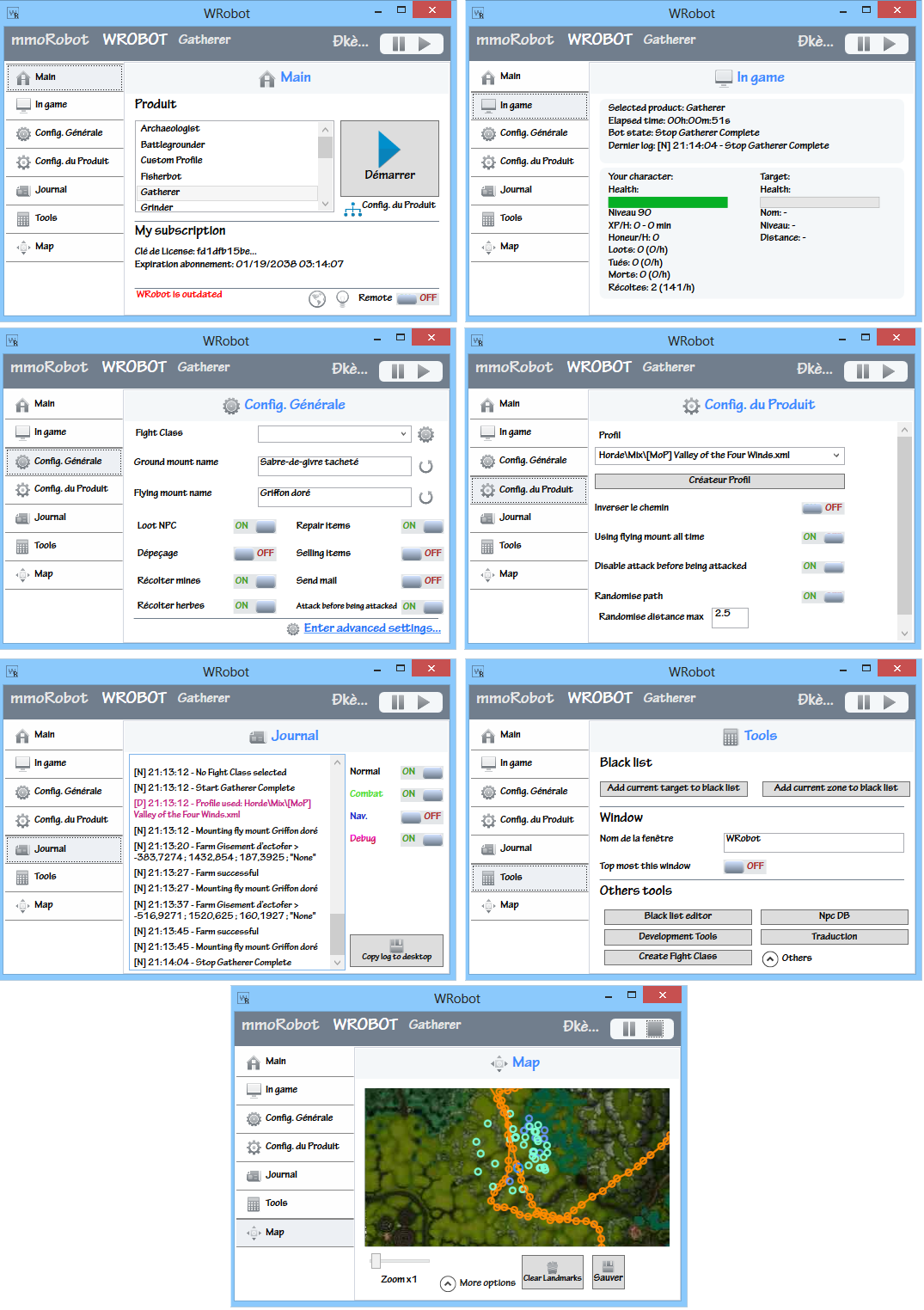 Hello, I'll just posted beta version of next WRobot version, you can download test version
 -
Hello, Can you try with new version: And can you give me your log file please.
-
-
Capture all rare pets same if you have already this pet.
-
Your problem is very strange. Do you have tried to disable all wow addon? Do you have tried to reset all wow keybindings (don't forget to restart bot after). Can you launch this wowmacro ingame and tell me result written in wow chat: /run key1, key2 = GetBindingKey("SITORSTAND"); print(key1); print(key2); (Try also to quit all useless software launched on your computer, teamviewer by sample can cause bug)
-
Hello, You have tried to disable your antivirus/firewall (also Windows firewall)? You can also download wrobot already installed (you don't need to use Update.exe), you can download archive here: http://download.wrobot.eu/wrobot/tmp/WRobotFullPack.zip
-
This is edited Fightclass myshadow (1).xml

